
Take-offs
From quantity take-off to an approval-ready BOQ
Quantity take-offs, measurement sheets and the project BOQ in one place: concrete, rebar, masonry and finishes calculators, BOQ approval, Excel and PDF export.
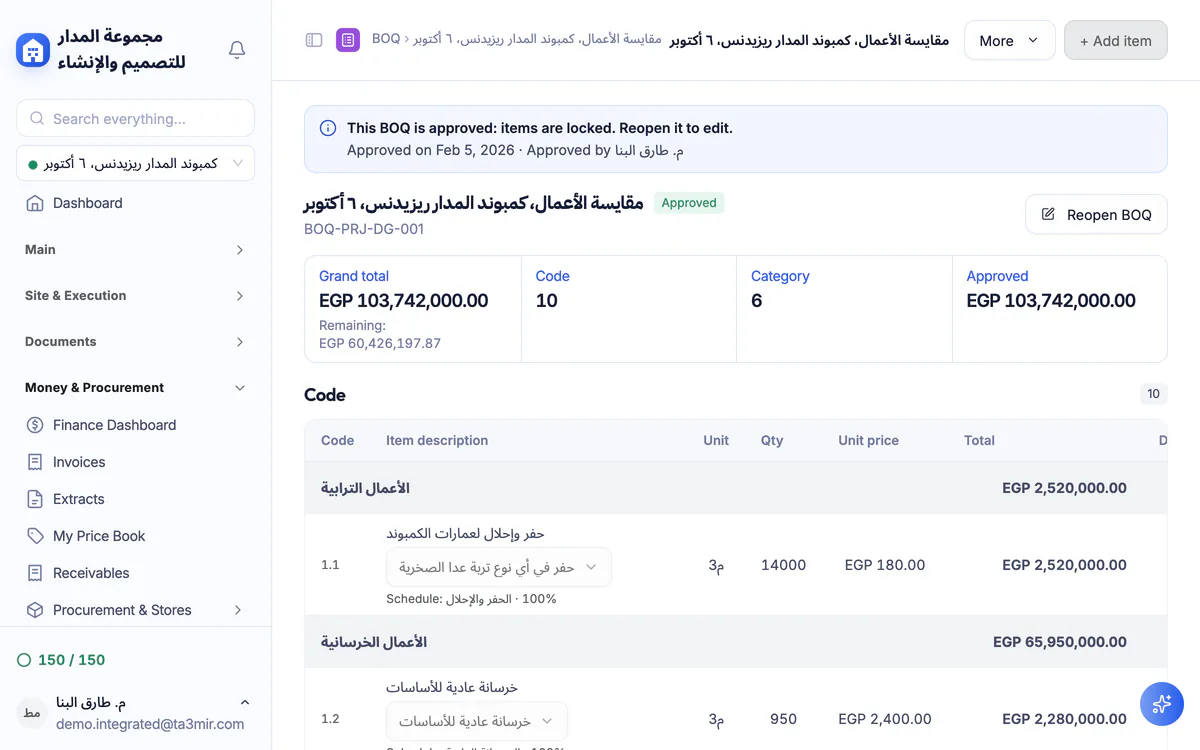
What is Take-offs & BOQ in Ta3mir?
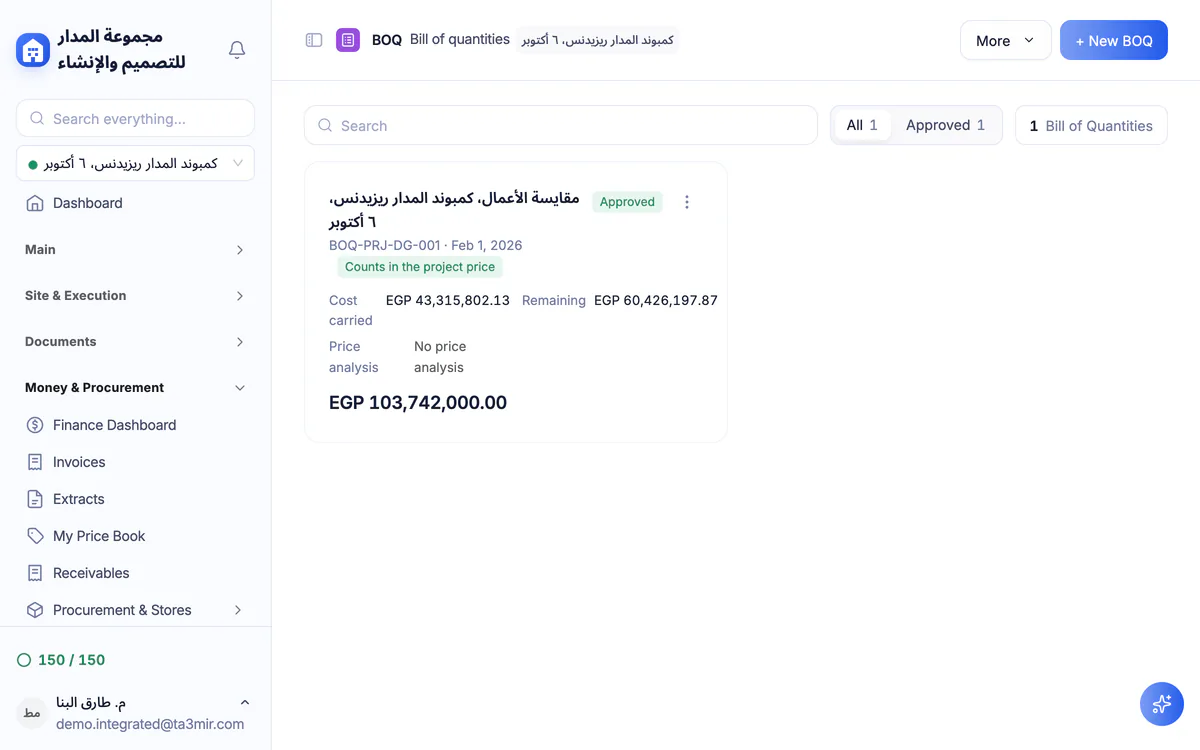
Bills of quantities with classified items, unit prices and totals summed automatically, measurement sheets with length, width and height, and engineering calculators that push their results into the BOQ, with several BOQs per project and the approved one as the basis of its budget.
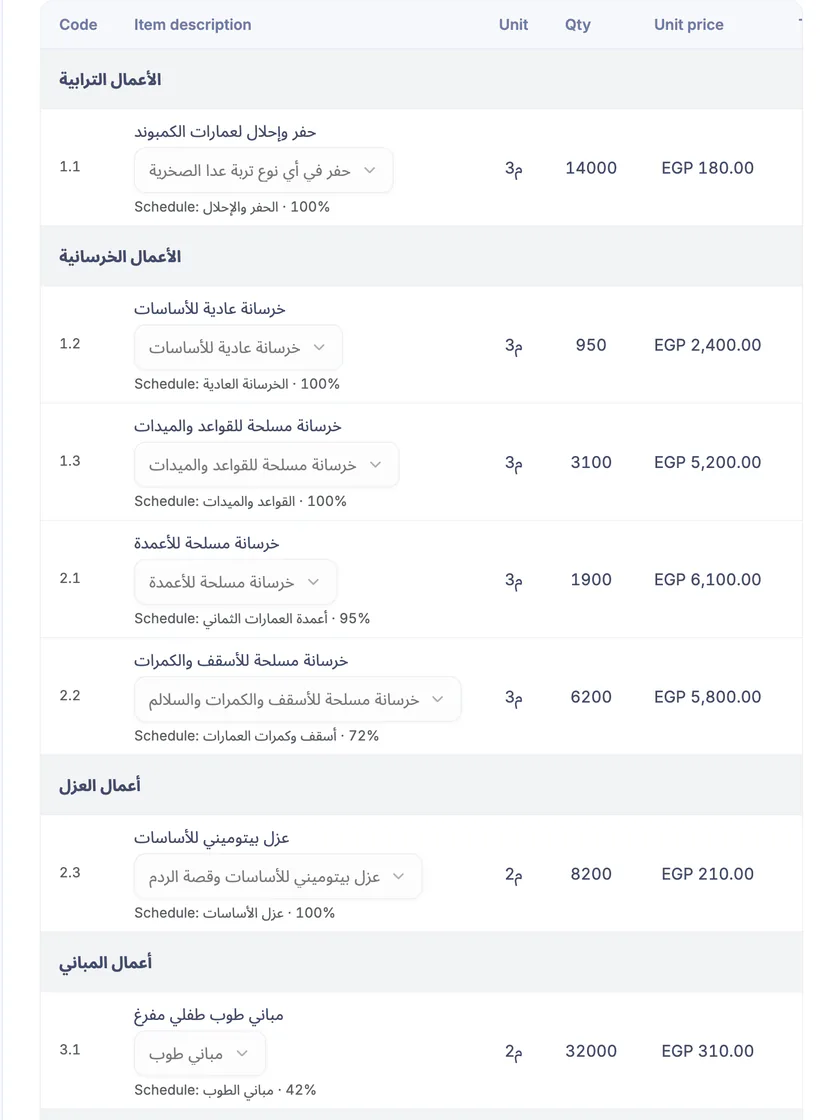
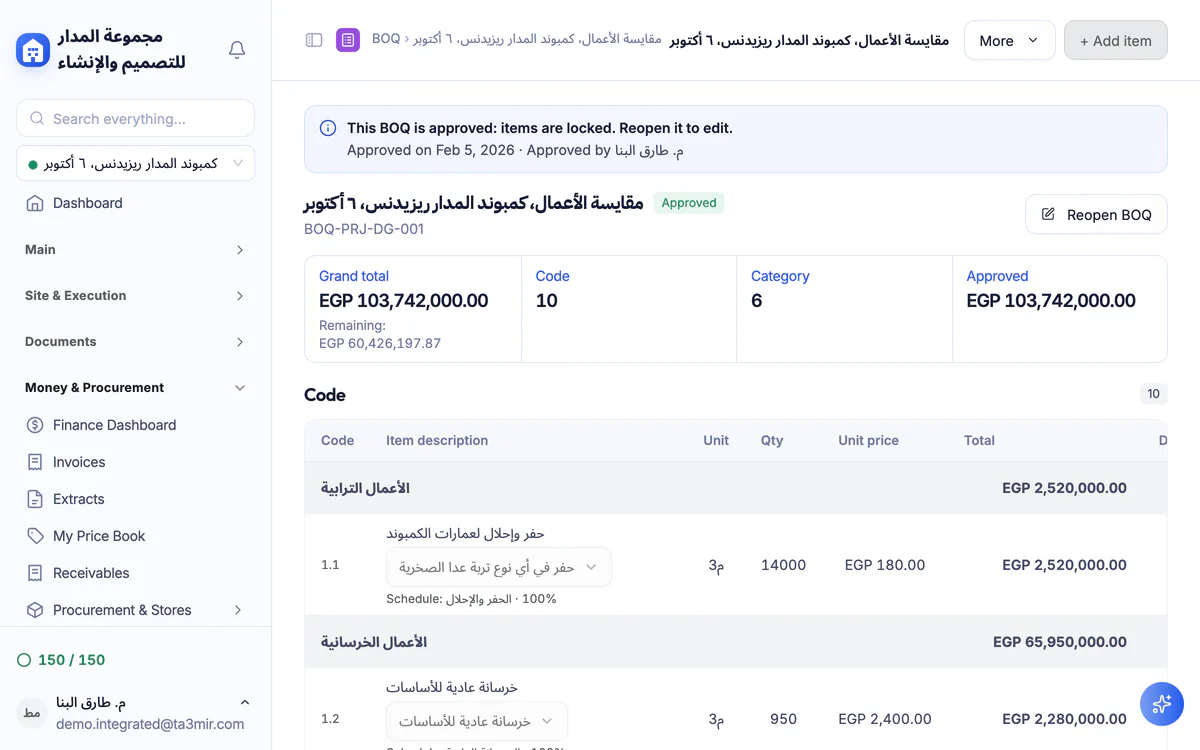
A complete BOQ with classified items
Classified items with unit prices and quantities, and totals summed automatically: no room for a manual addition error.
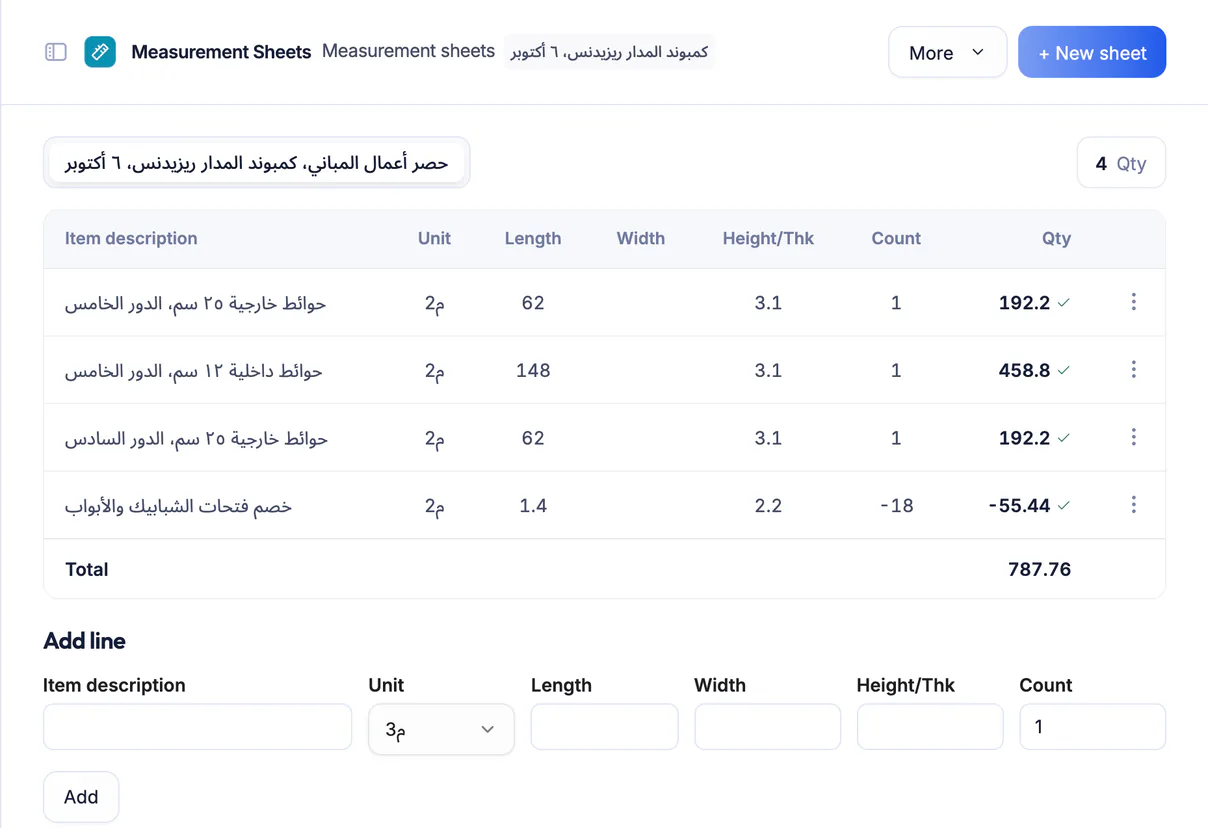
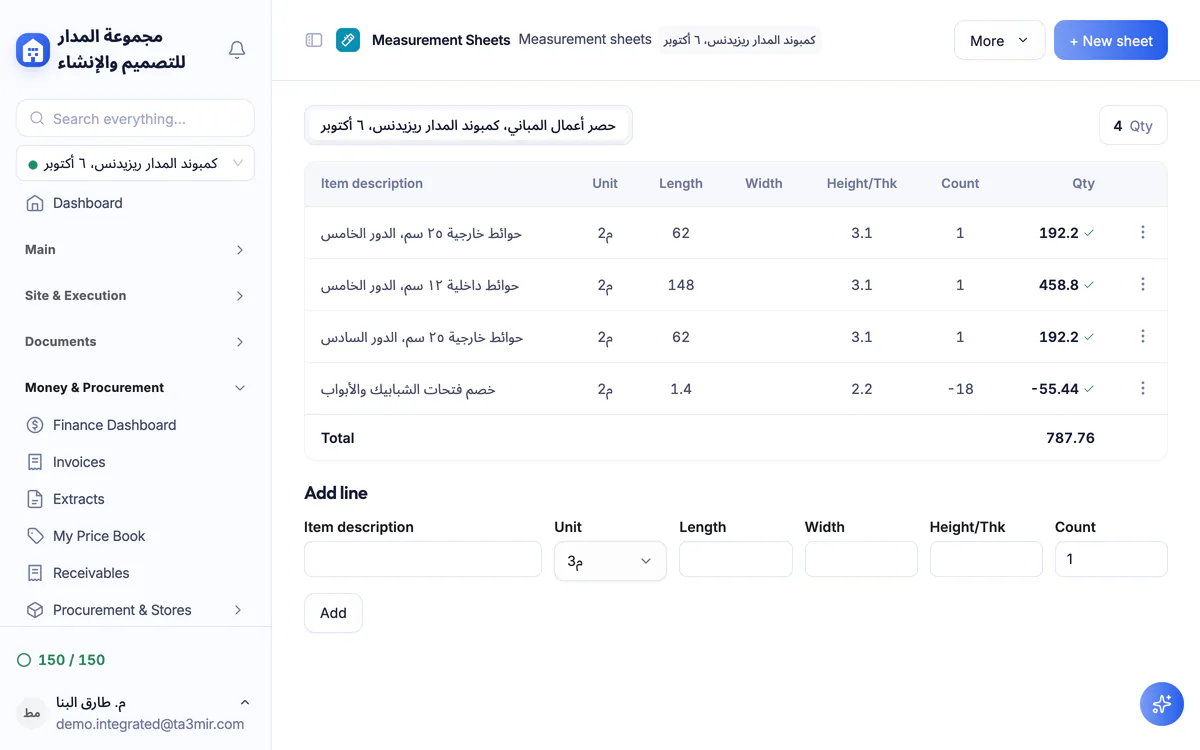
Detailed measurement sheets
Record length, width and height for every measurement, for a documented quantity you can audit item by item.
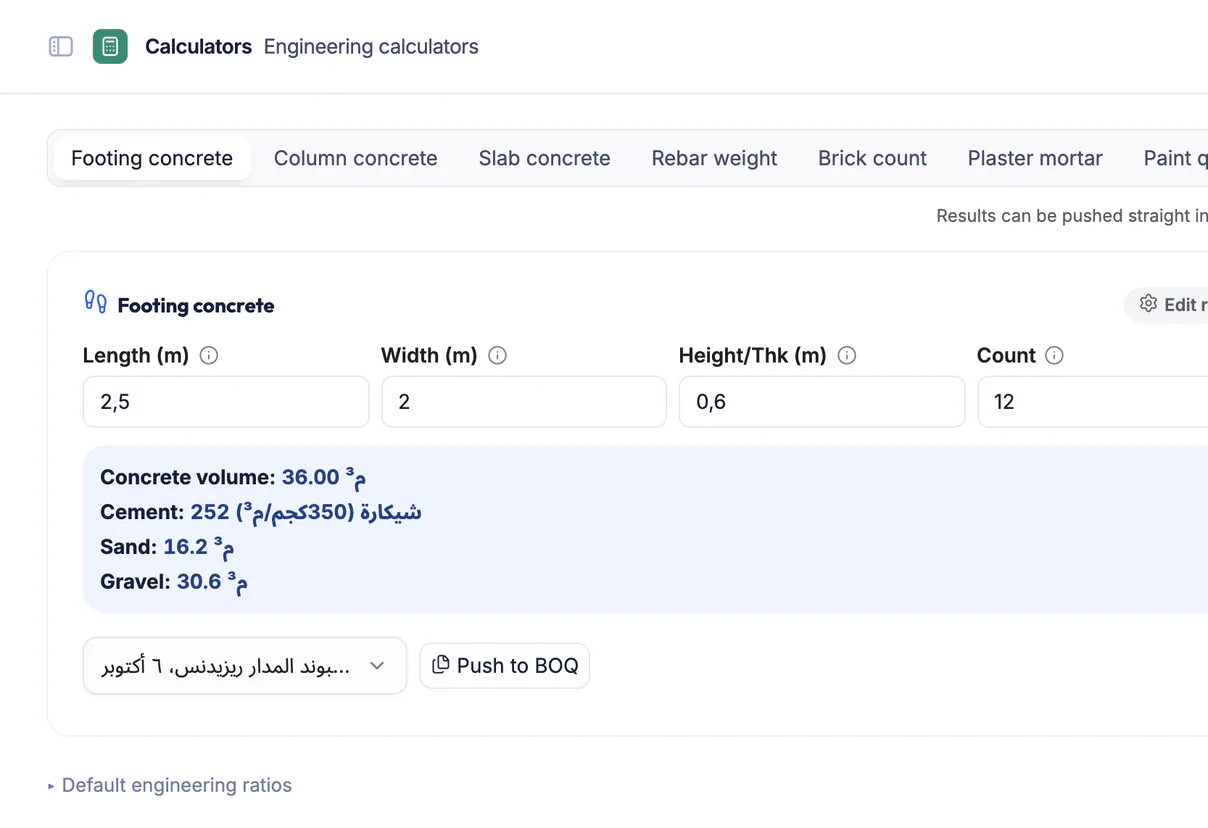
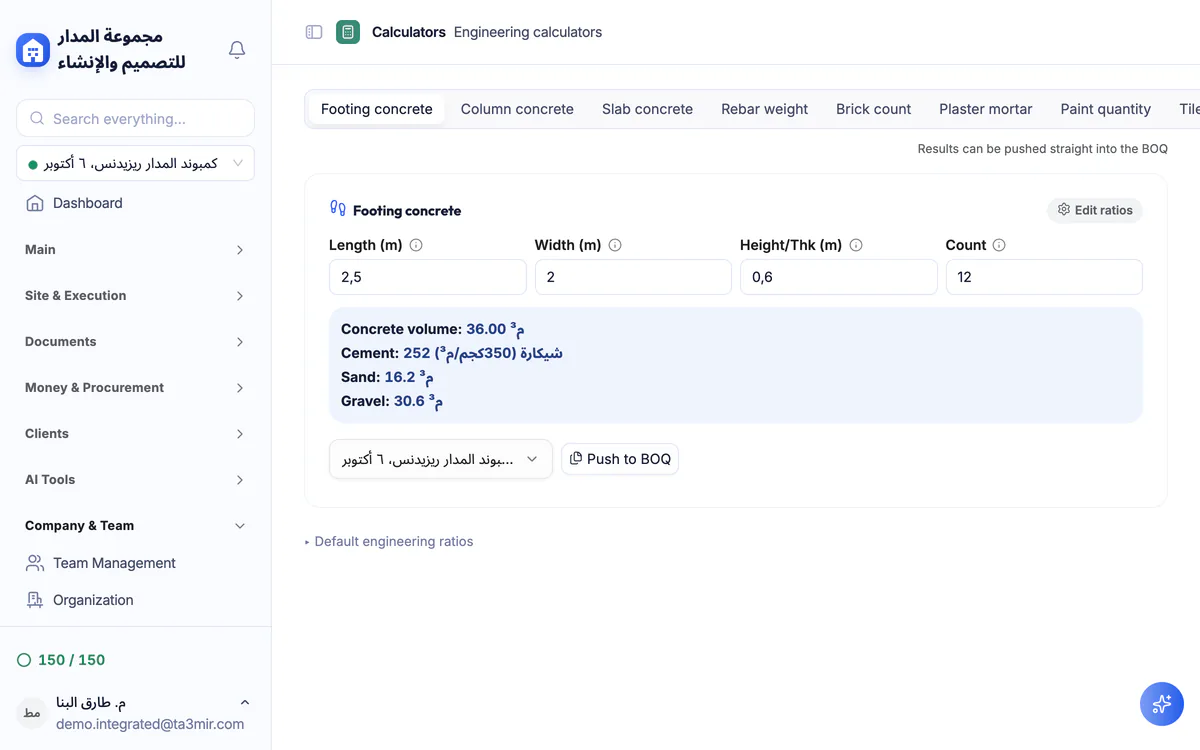
8 ready engineering calculators
Eight take-off calculators: footings, columns, slabs, rebar, brick, plaster, paint and tiles, with results pushed straight into the BOQ.
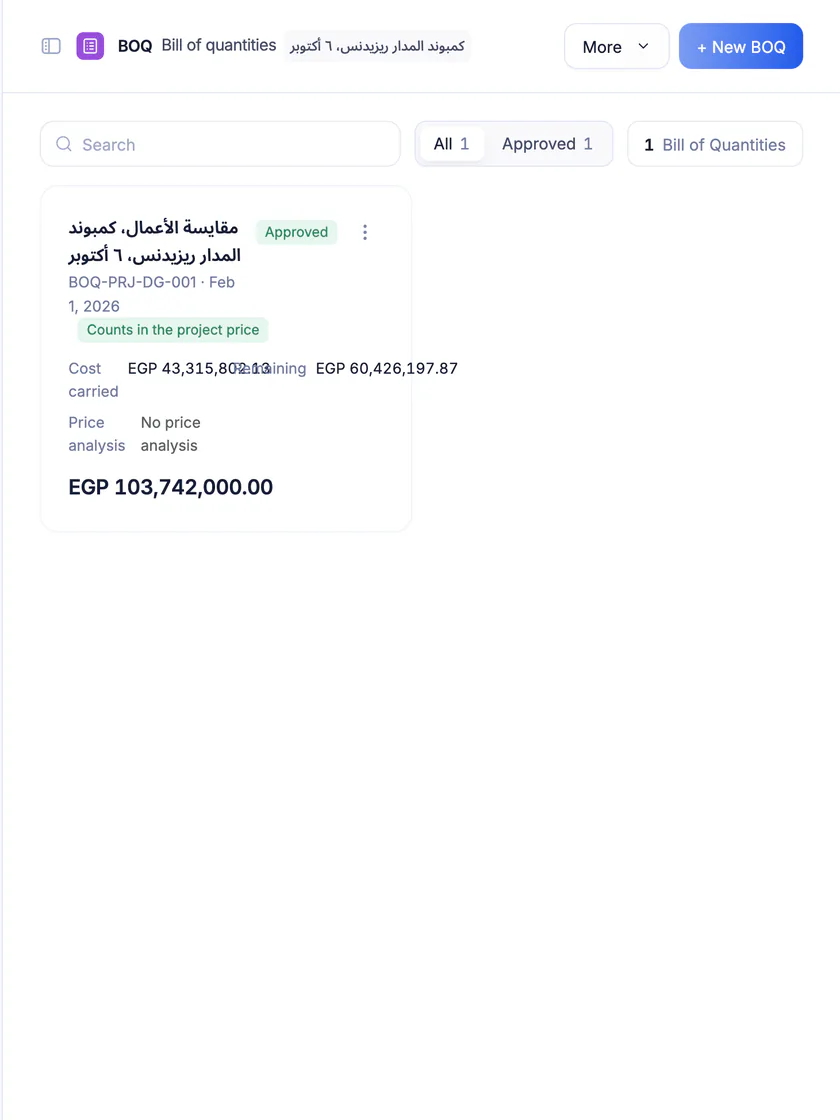
The BOQ register
Several BOQs per project with their status (draft, final, approved); approval freezes quantities and rates so they become the project budget base.
Features in Take-offs & BOQ
The take-off tool is built around a live BOQ whose numbers sum themselves.
Here is what is inside:
Perks of Take-offs & BOQ
From the first take-off to final approval, your numbers stay tight and auditable at every step.

BOQ import from Excel
Upload a ready BOQ from Excel and review its items before saving.
Eight take-off calculators
Concrete, rebar, masonry, plaster, paint and tiles, with engineering factors you can adjust for your account.
Excel, CSV and PDF export
Export the BOQ to Excel, CSV or PDF to submit or review it.
Items linked to the schedule
Link BOQ items to schedule activities to load cost onto them.
Draft and final approval
Start with an editable draft, then approve it as a final print-ready version.
Items linked to site tasks
Pick approved BOQ items in field tasks to follow the progress of each one.
A draft from drawings
Generating a BOQ from analysed drawings lives in the AI studio; the result is saved as a new BOQ you review and approve here.
 Payment certificates & contracts
 Technical office & documents
 Accounting
 Scheduling & planning
 Take-offs & BOQ
 HR, attendance & payroll
 Cost control
 Procurement, stores & equipment
 Site management & daily logs
 CRM & quotations
Ready to run your construction projects and payment certificates in one program?
Explore the demo account with real sample projects, then subscribe and activate in minutes.