
Cost control
Know where your project cost goes before it overruns the budget
Control the cost of each project: budget against actual and committed, cost codes, earned value (SPI, CPI), cash flow forecast, profit per certificate, alerts.
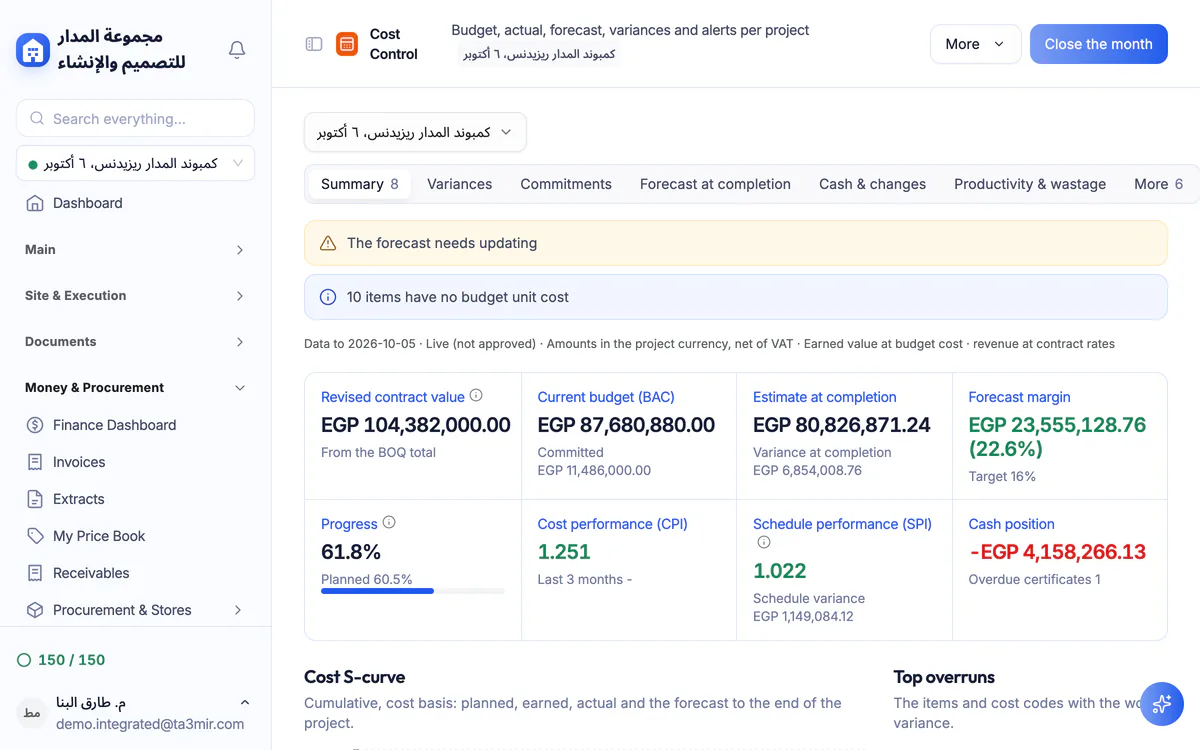
What is Cost control in Ta3mir?
A budget for every project on cost codes, with its original amount, approved transfers and revised value, compared with what is committed and what was actually spent, then earned value, a cash flow forecast and profit and loss per certificate, with alerts when a variance crosses the limits you set.
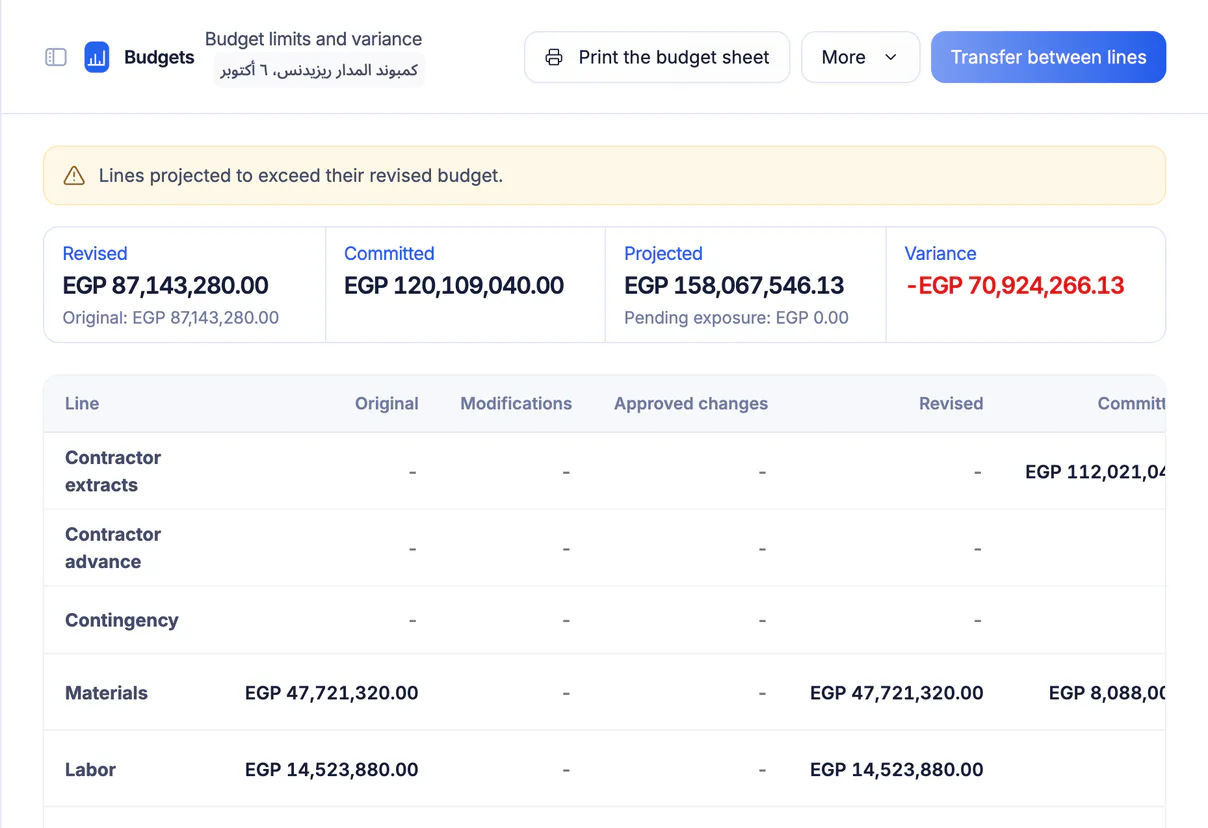
Budget against actual
Each line keeps its original budget, approved transfers between lines and a revised value, next to what approved purchase requests and orders commit and what was actually spent, so you see the variance line by line.
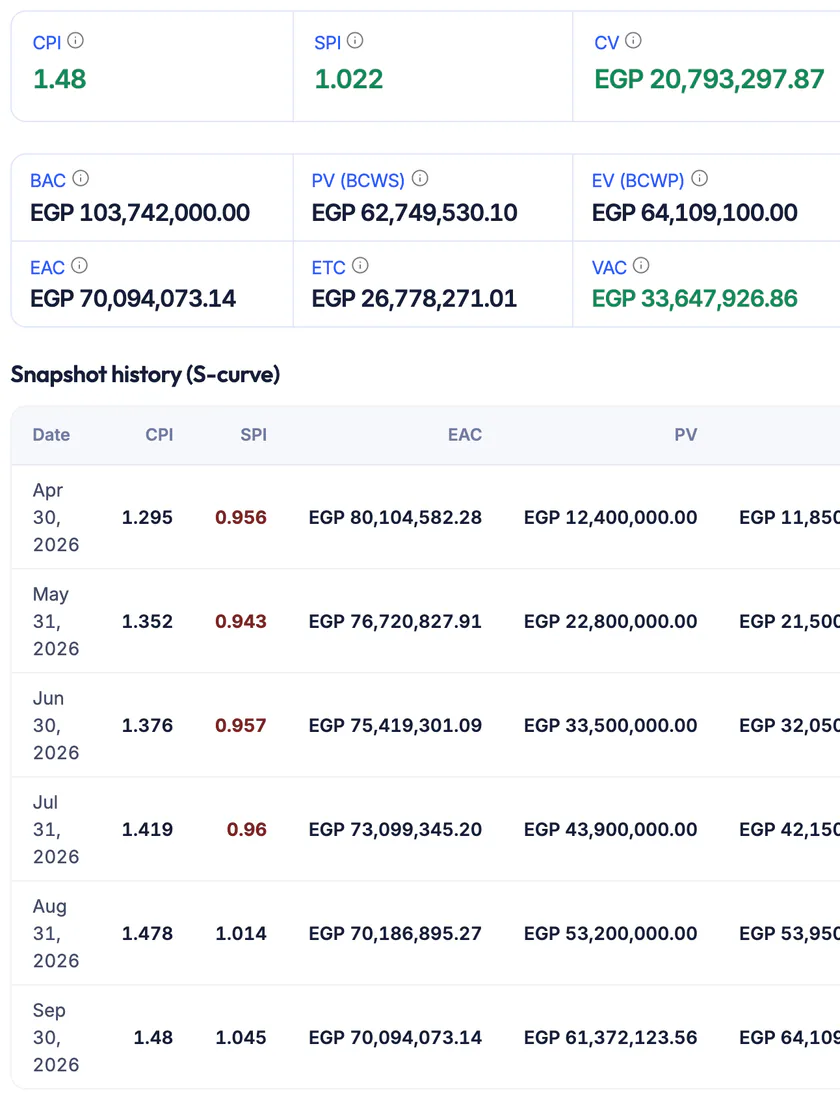
Earned value: SPI and CPI
Schedule and cost performance indices computed on the approved baseline, with the estimate at completion (EAC).
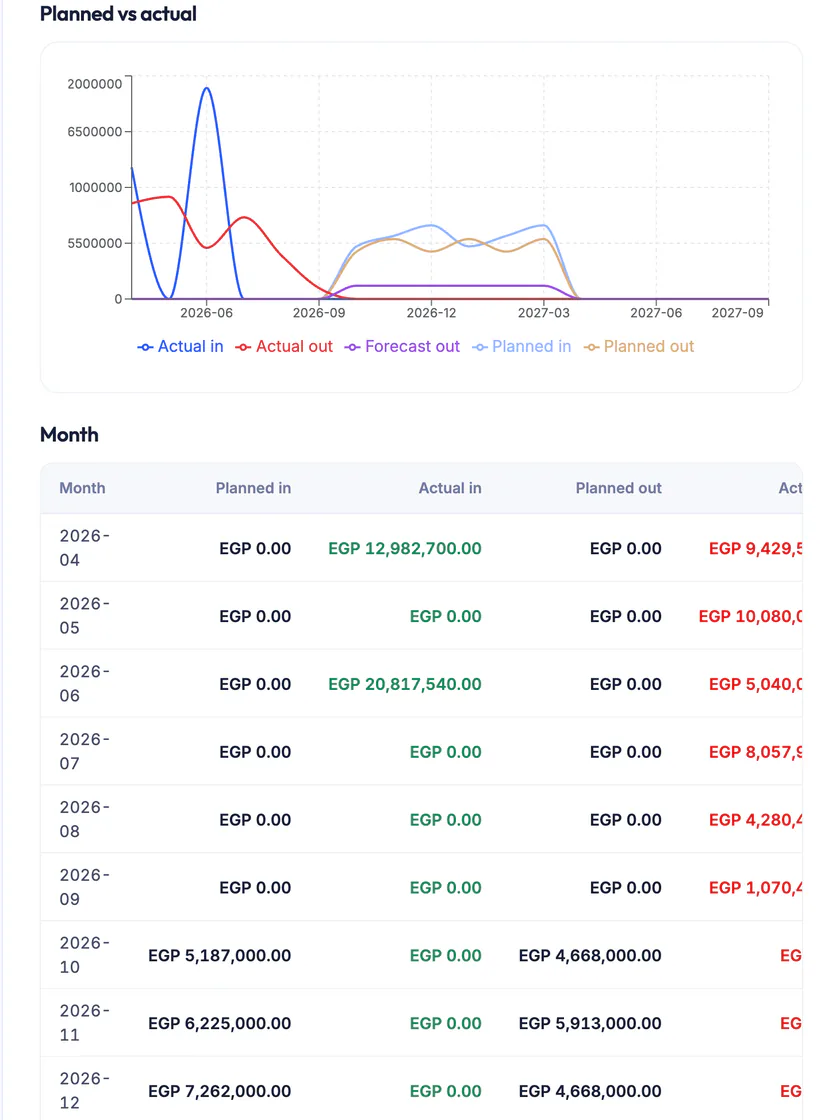
Monthly cash flow
Planned against actual cash in and out for every month, and a 12-month spending forecast.
Profit and loss per certificate
Compare what each certificate earns with its actual cost, and check the BOQ against what was spent to catch losing items before the project ends.
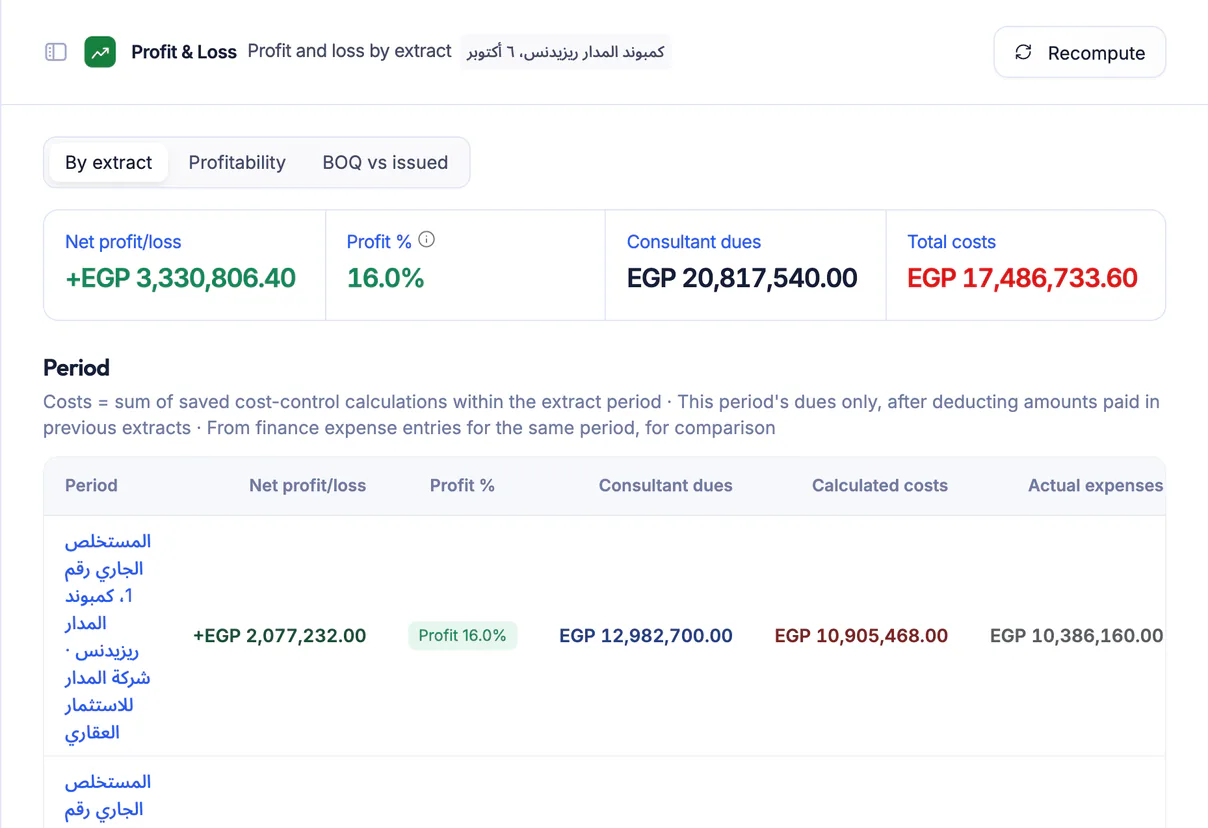
Features in Cost control
From the budget to the expense receipt, these are the screens that keep your project's cost in check:
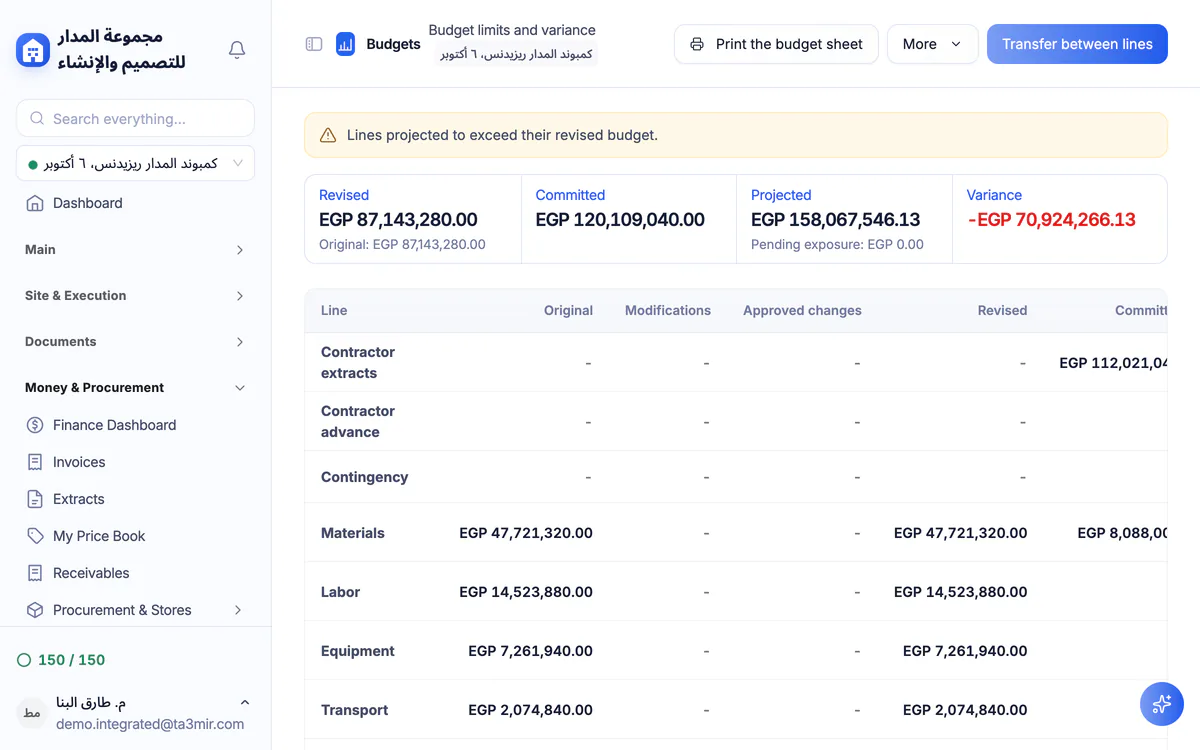
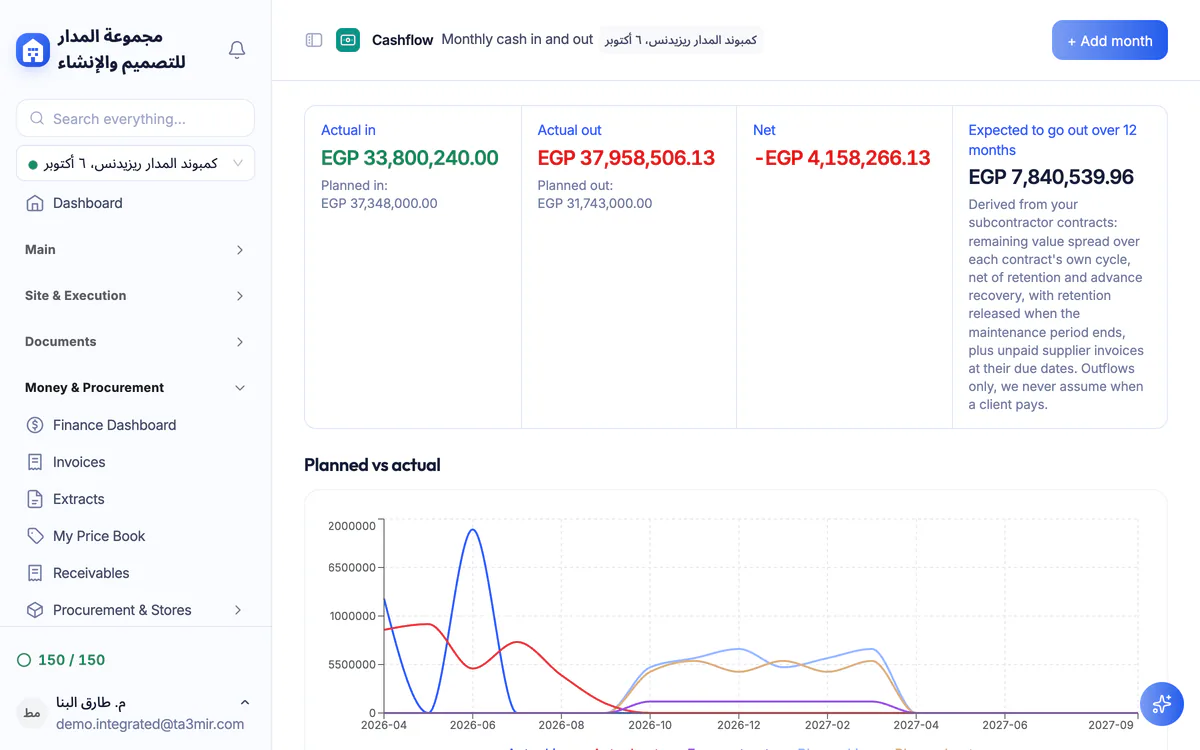
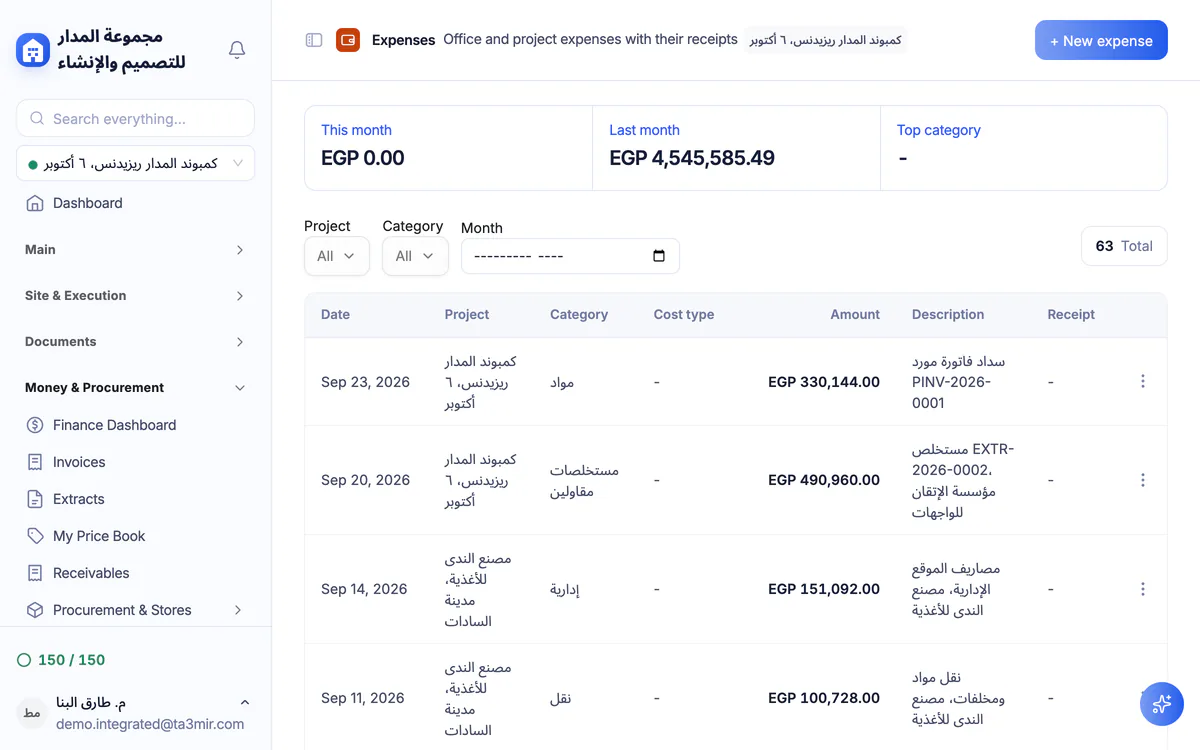
Perks of Cost control
Better decisions start with reliable cost figures for every project, seen before a variance grows.

Unified cost codes
A cost-code tree for labour, materials, equipment, subcontracts and overheads that budgets and transactions share.
Committed before spent
Approved purchase requests and purchase orders show as a commitment on the line before the money goes out.
Cost alerts
Variance limits you set for your account, and an alert when any project crosses them.
Expenses with receipts
Record site and office expenses and attach a photo of the receipt to each one.
Currencies and exchange rates
Record costs in several currencies; the system flags any amount without a configured exchange rate.
Automatic posting from modules
Approved certificates, payroll runs and purchases reach the project cost automatically; invoices and journal entries live on the accounting page.
 Payment certificates & contracts
 Technical office & documents
 Accounting
 Scheduling & planning
 Take-offs & BOQ
 HR, attendance & payroll
 Cost control
 Procurement, stores & equipment
 Site management & daily logs
 CRM & quotations
Ready to run your construction projects and payment certificates in one program?
Explore the demo account with real sample projects, then subscribe and activate in minutes.