
Technical office
Your technical office and project documents in one place, on an approval trail with the consultant
A complete technical office: RFIs, submittals, drawings with revisions, specifications, letters, transmittals and minutes, on a documented approval trail.
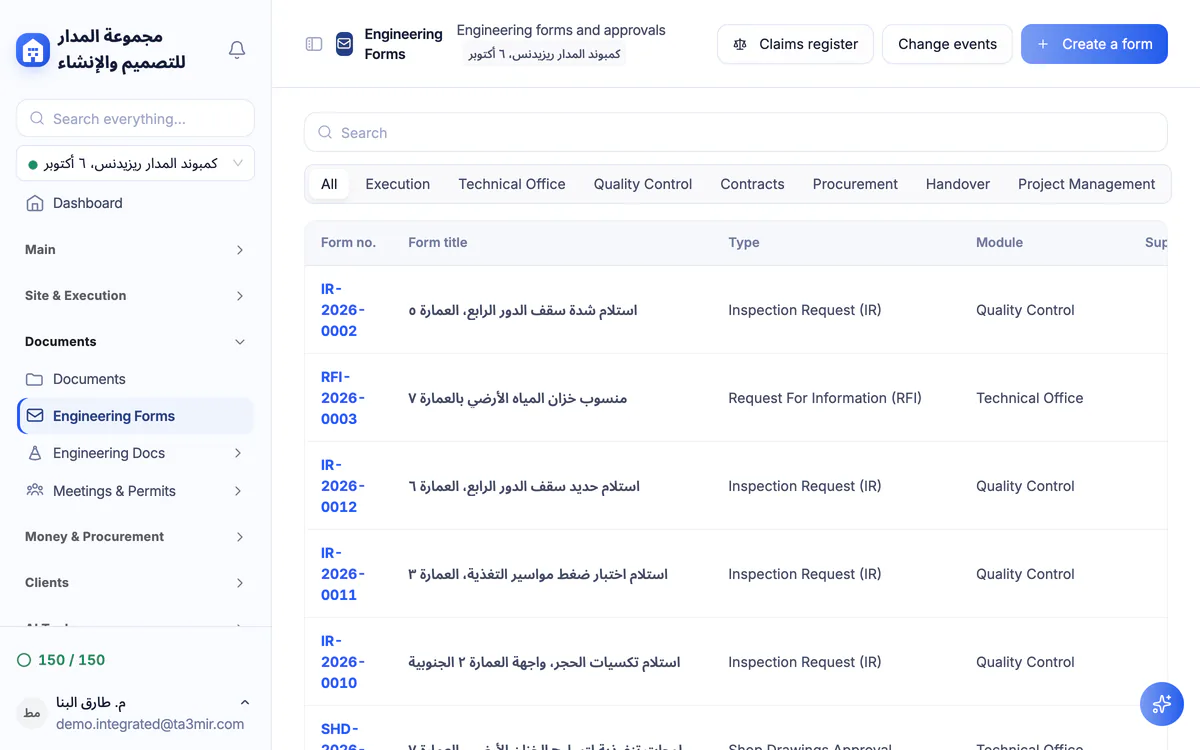
What is the Technical office in Ta3mir?
One forms engine runs RFIs, inspection requests, NCRs, variation orders, material submittals and handover records, each numbered in its own sequence. Around it sit the drawing, specification, correspondence, transmittal and meeting registers, and the project documents in ready-made folders with smart upload.
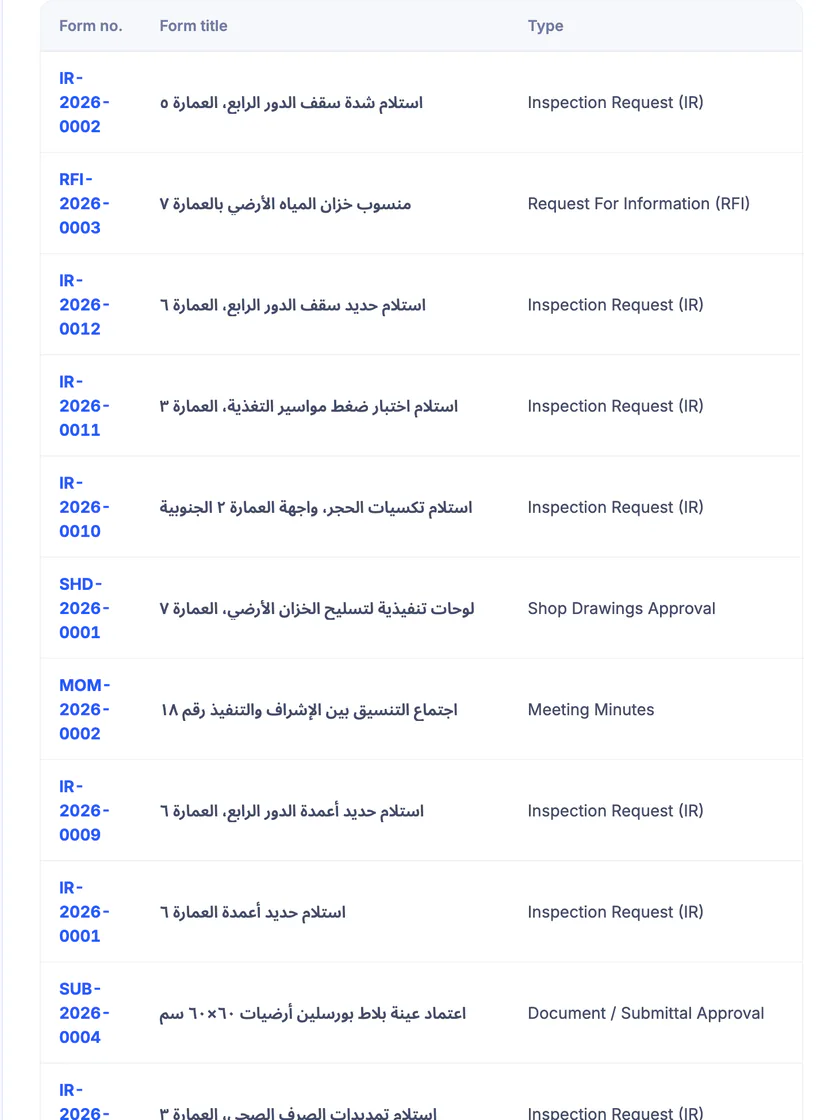
One register for every form
Every technical-office form in one filterable register, each with its sequential number, type, date and approval status.
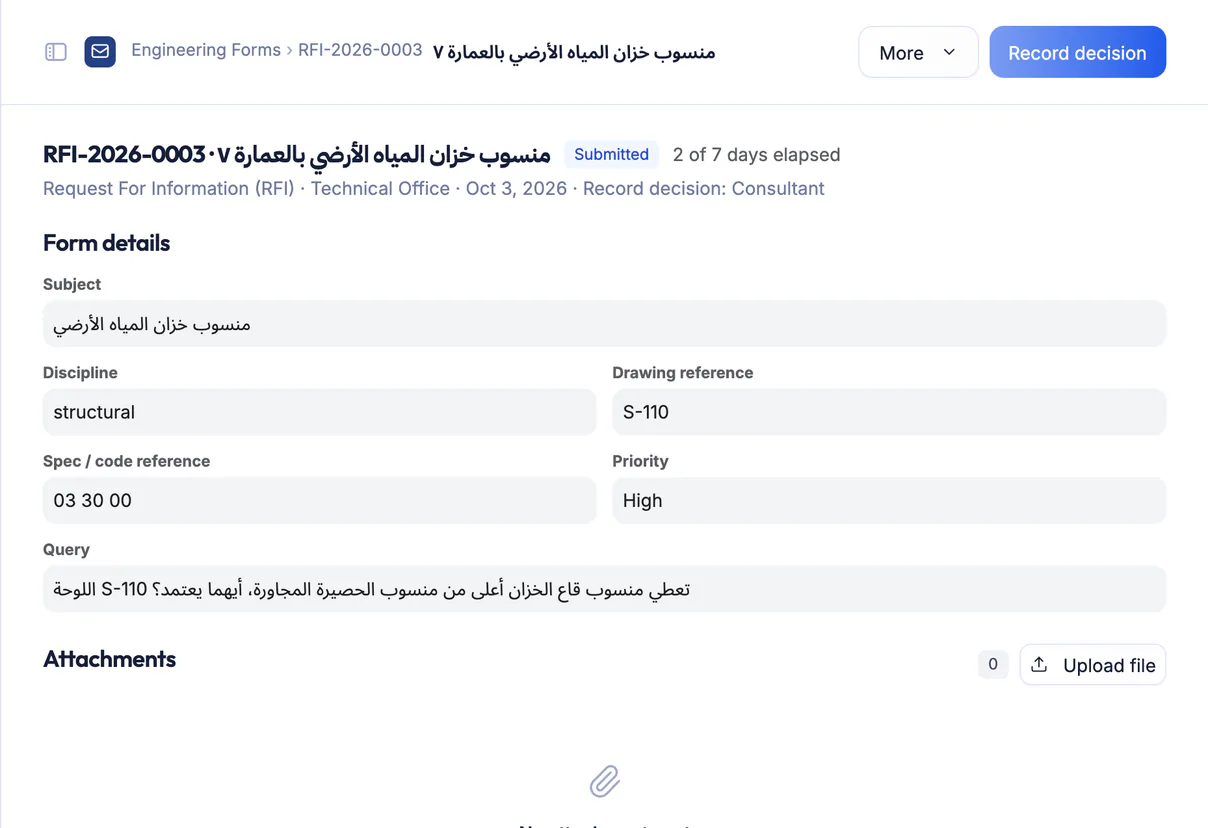
An RFI awaiting the consultant
An RFI moves step by step along its approval trail, and every step shows the party, the signer, the decision and the date until the competent consultant answers.
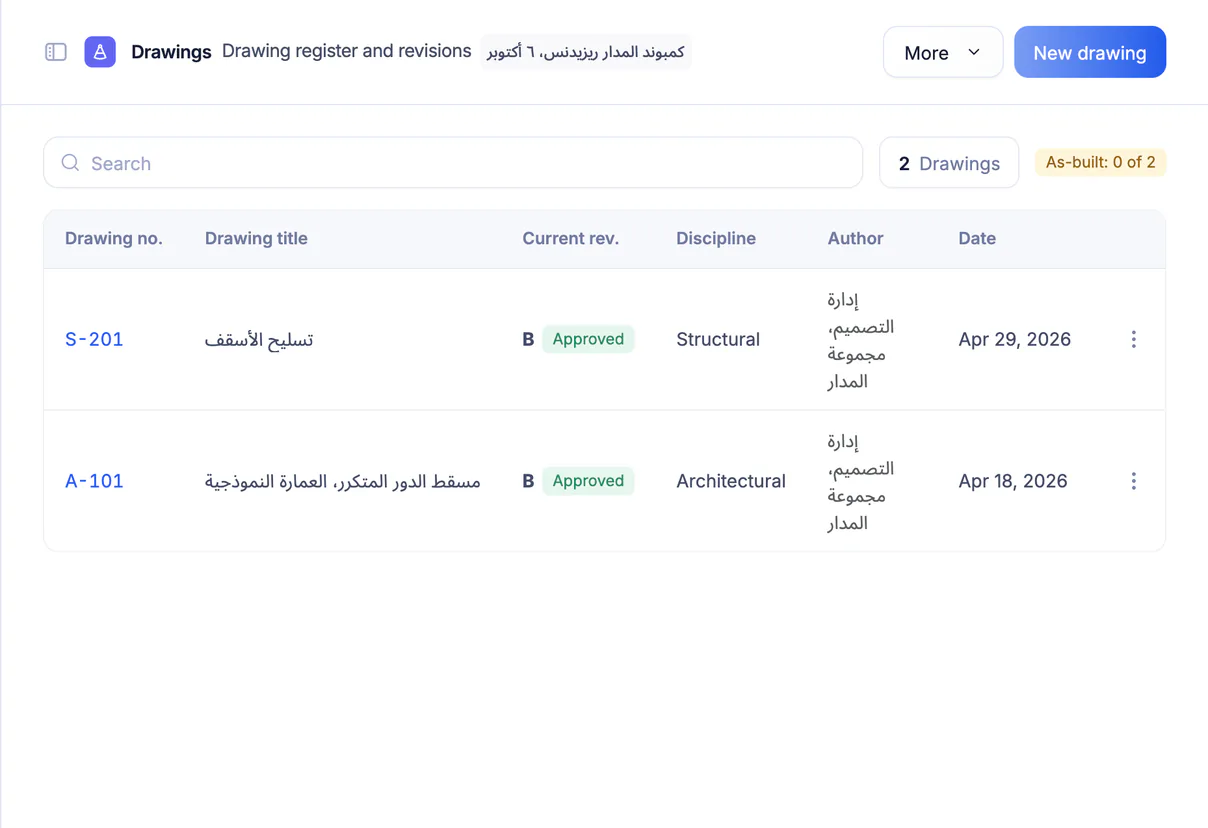
Drawing register with revisions
Each drawing keeps its number, discipline, current revision and revision history, with a consultant approval request, linked RFIs and a printable drawing register.
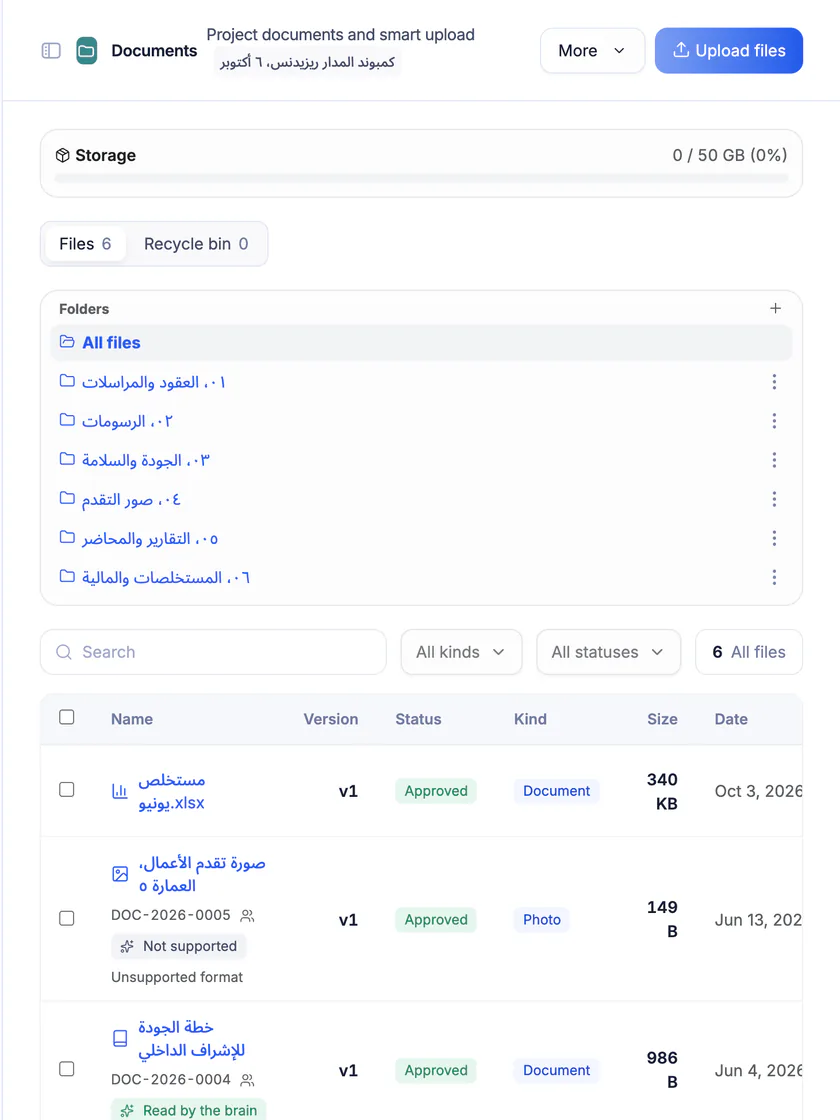
Project documents and smart upload
Ready-made folders for drawings, contracts, certificates and correspondence, and smart upload turns an Excel file into a certificate, a BOQ or stock movements.
Features in the Technical office
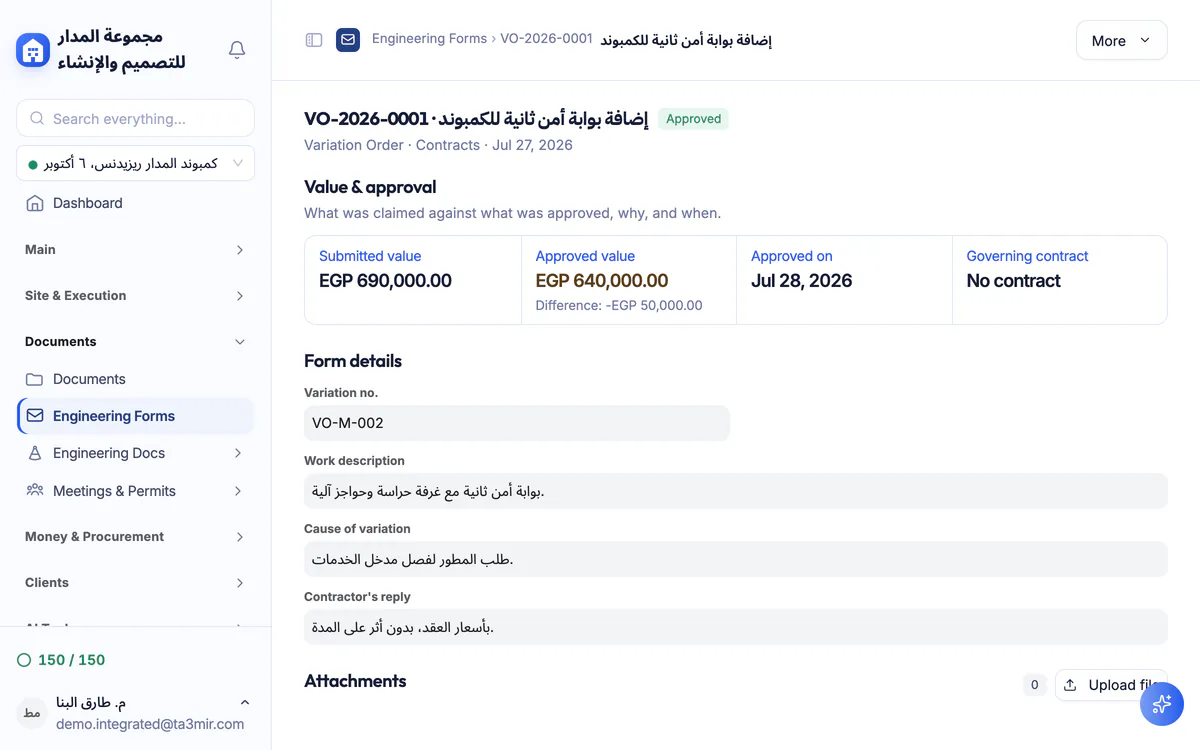
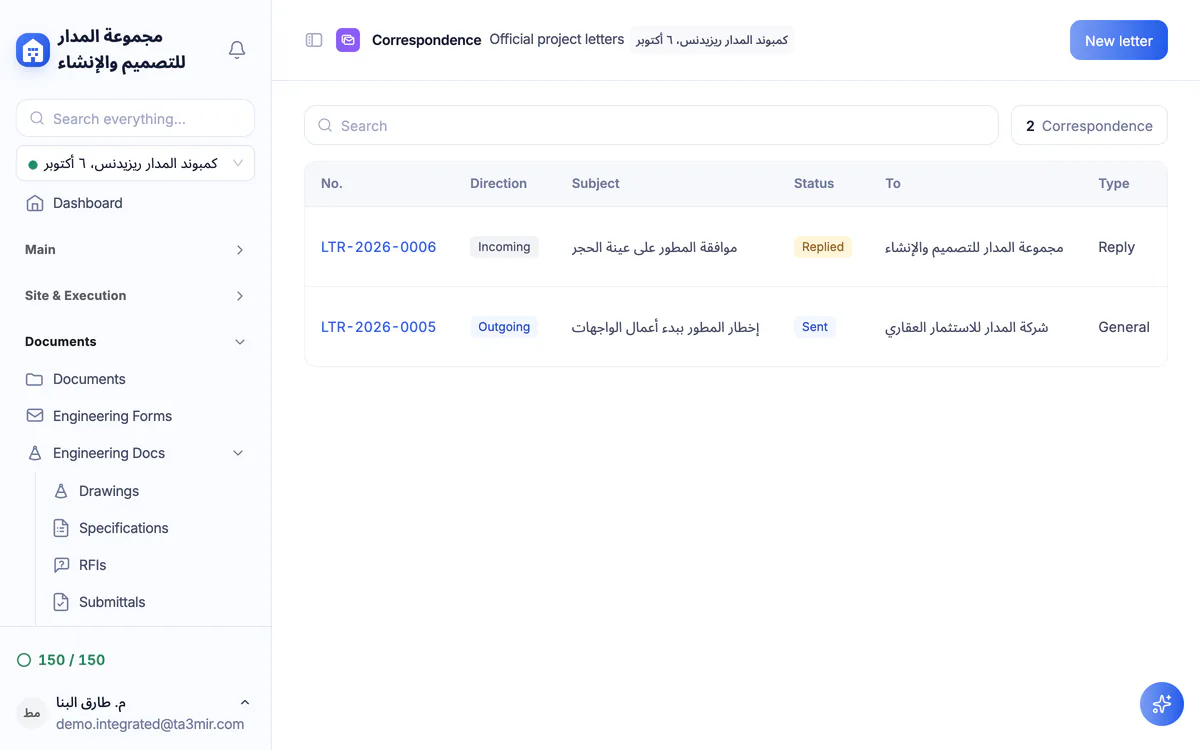
From the variation order to the official letter, these are the technical-office screens inside Ta3mir:

Perks of the Technical office
A documented trail, disciplined numbering and every document in its place. Why technical offices rely on Ta3mir:

Signed approval trail
Each approval step keeps its signer, signature and date, from contractor to consultant.
Automatic numbering
Each form type keeps its own sequence, so no number repeats or goes missing.
Variation orders update the contract
An approved variation order updates the project's contract value automatically, and revoking it reverses the effect instantly.
Consultants in the platform or by link
The project consultant approves forms from their own account, or from a review link where they confirm their identity with a code before deciding.
Letters and transmittals
Incoming and outgoing letters with ready templates and reply dates, and transmittals that prove documents were handed over and acknowledged.
Specifications and meeting minutes
Specification sections linked to drawings and material approvals, and meeting minutes with attendees and action items.
 Payment certificates & contracts
 Technical office & documents
 Accounting
 Scheduling & planning
 Take-offs & BOQ
 HR, attendance & payroll
 Cost control
 Procurement, stores & equipment
 Site management & daily logs
 CRM & quotations
Ready to run your construction projects and payment certificates in one program?
Explore the demo account with real sample projects, then subscribe and activate in minutes.