
CRM & quotations
From the first client call to a signed construction contract
Track leads and follow-ups, a sales pipeline with weighted value, quotations with items and tax, contract templates, then turn an accepted quote into a project.
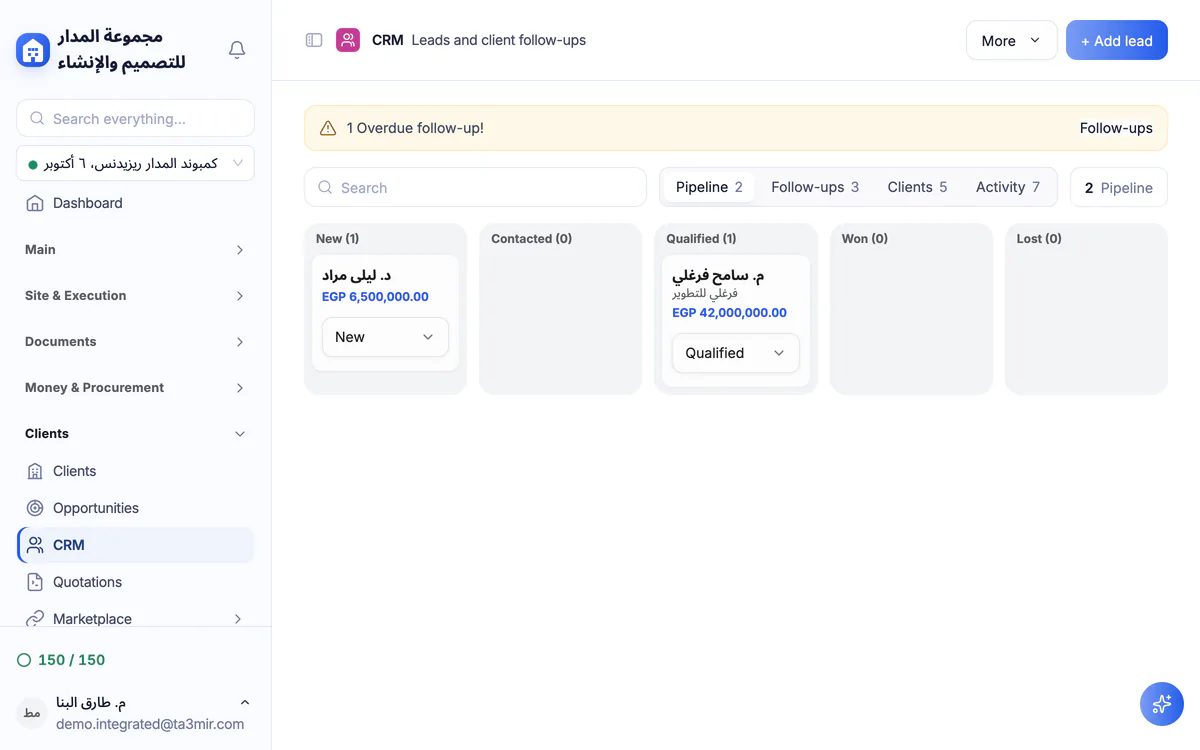
What is CRM & quotations in Ta3mir?
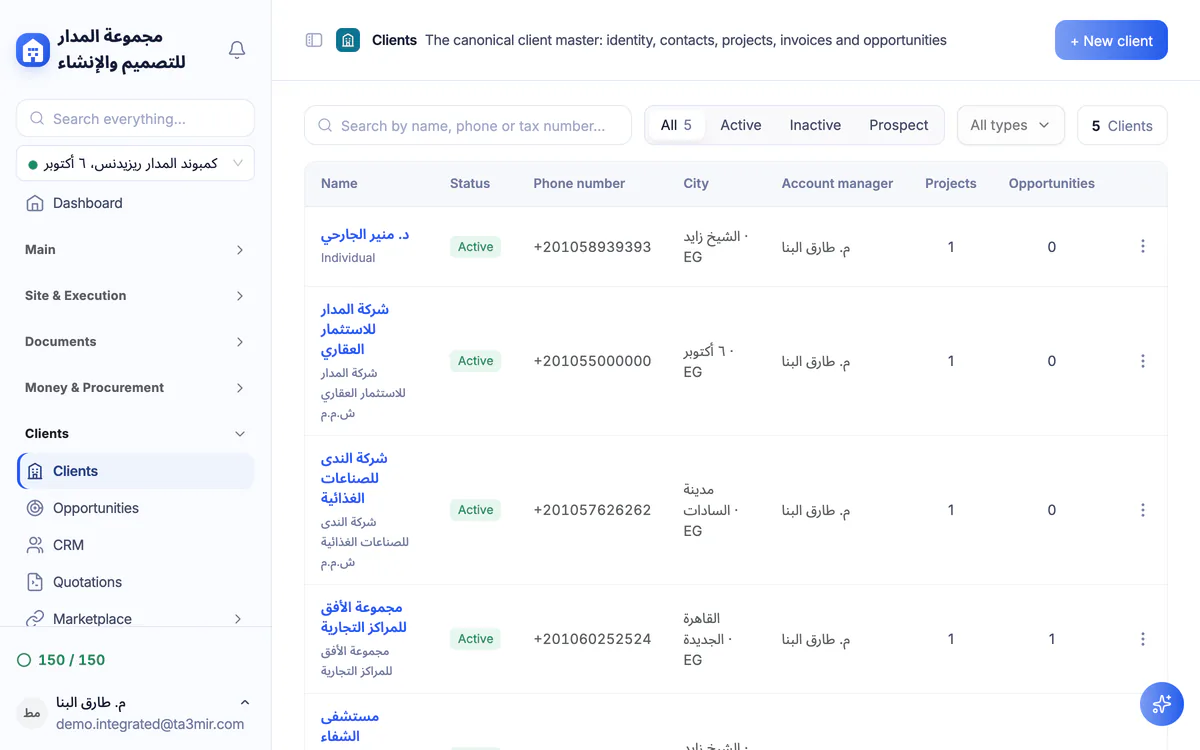
Leads with dated follow-ups, opportunities with stages and a weighted value, quotations with line items and tax, construction-contract templates ready to fill in, and one client record with contacts, projects, invoices and opportunities.
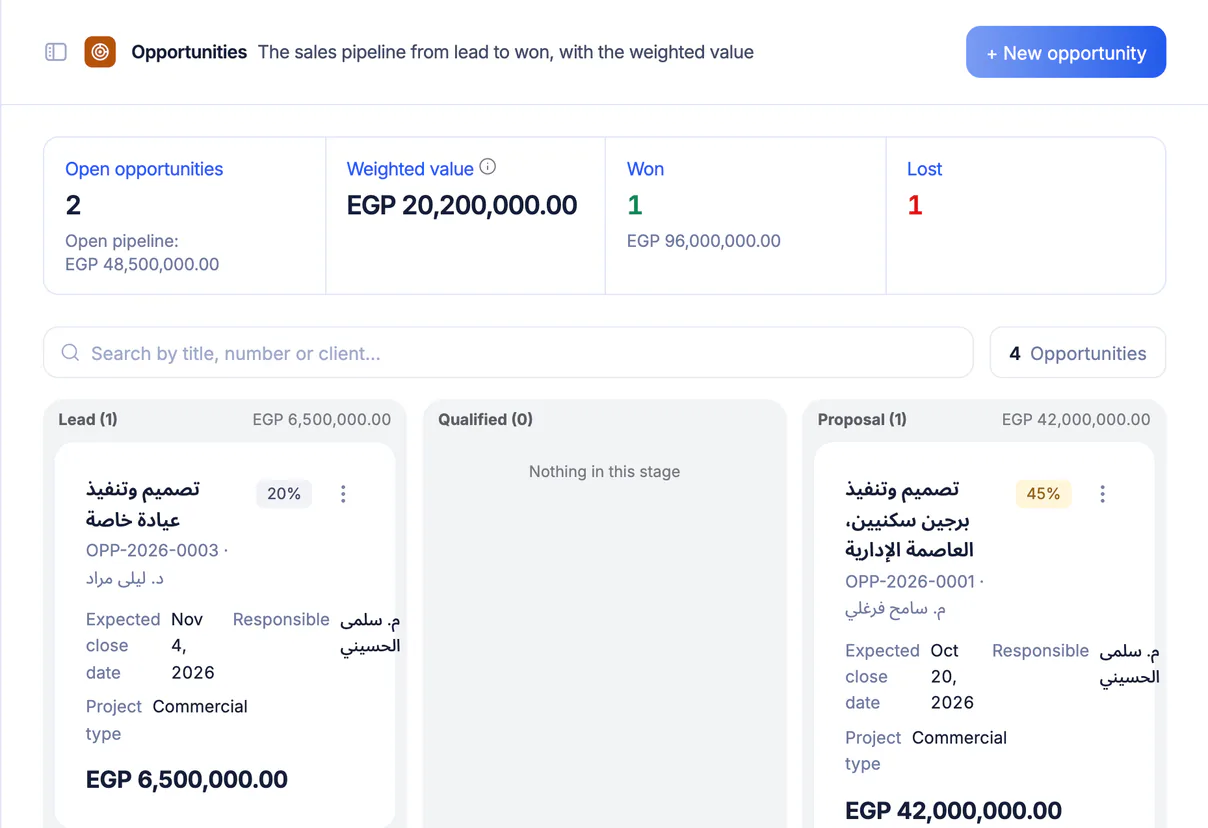
The sales pipeline
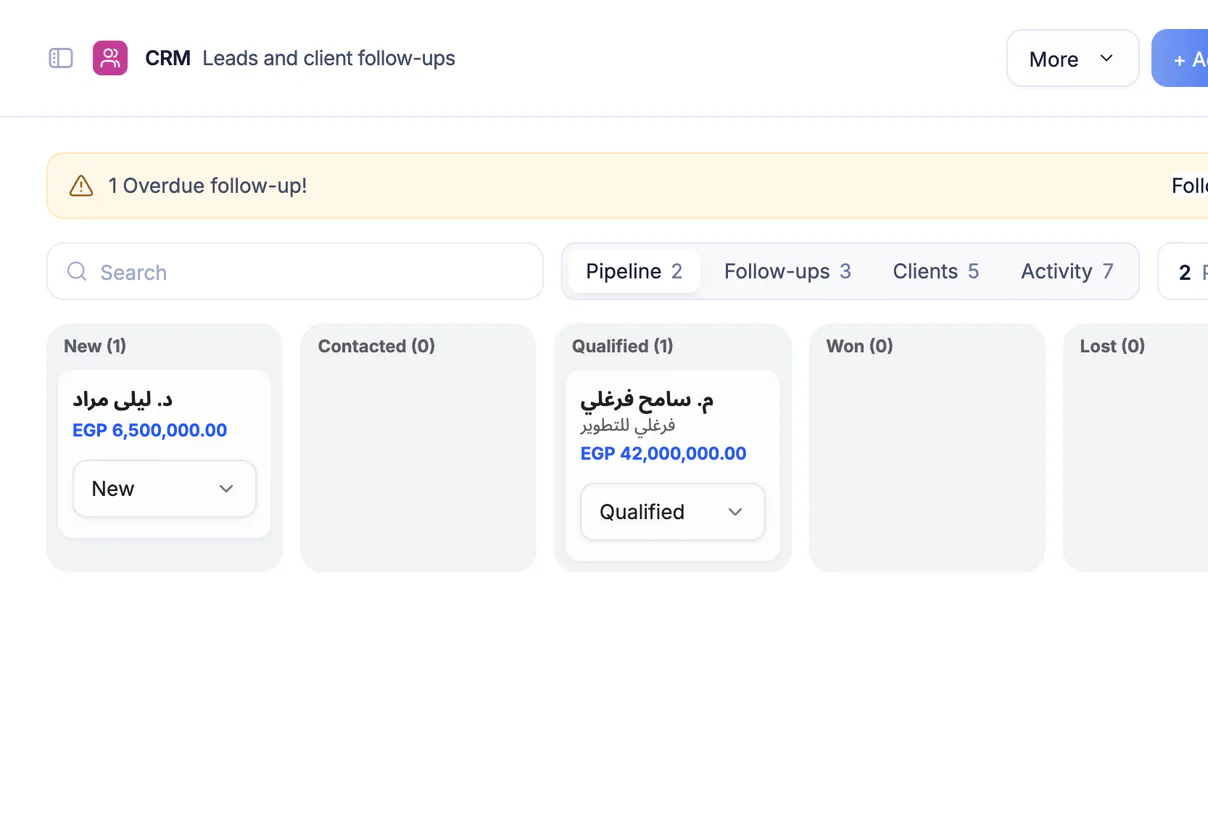
Leads on a board with stages from new to won or lost, an activity log per client and a flag on overdue follow-ups.
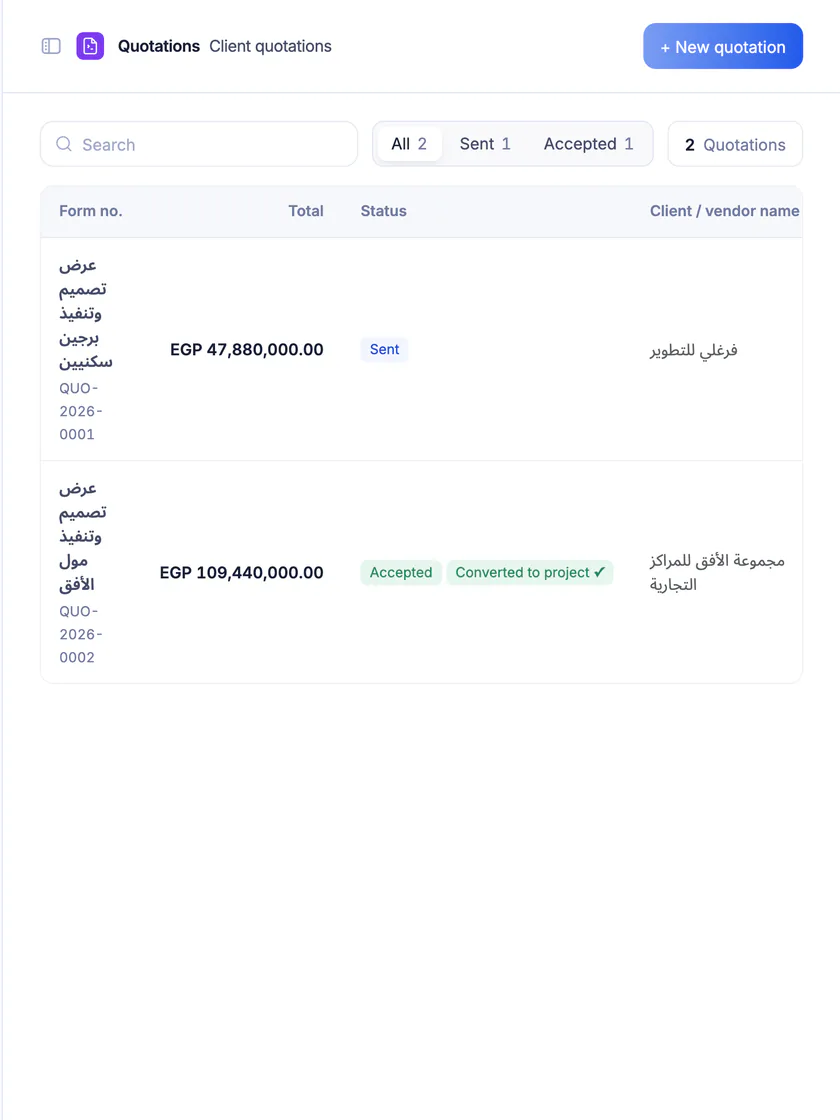
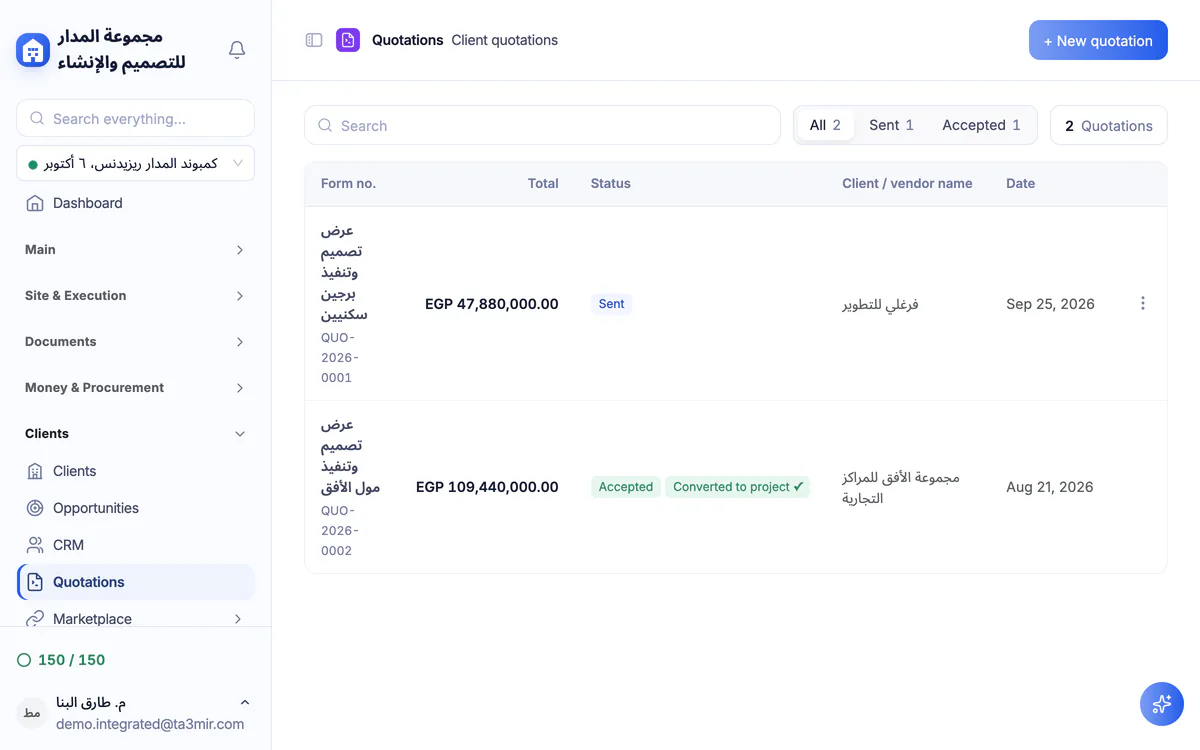
Quotations with items and tax
Items, quantities, prices and a tax rate with the total computed for you, and a status for each quote from draft to accepted or rejected.
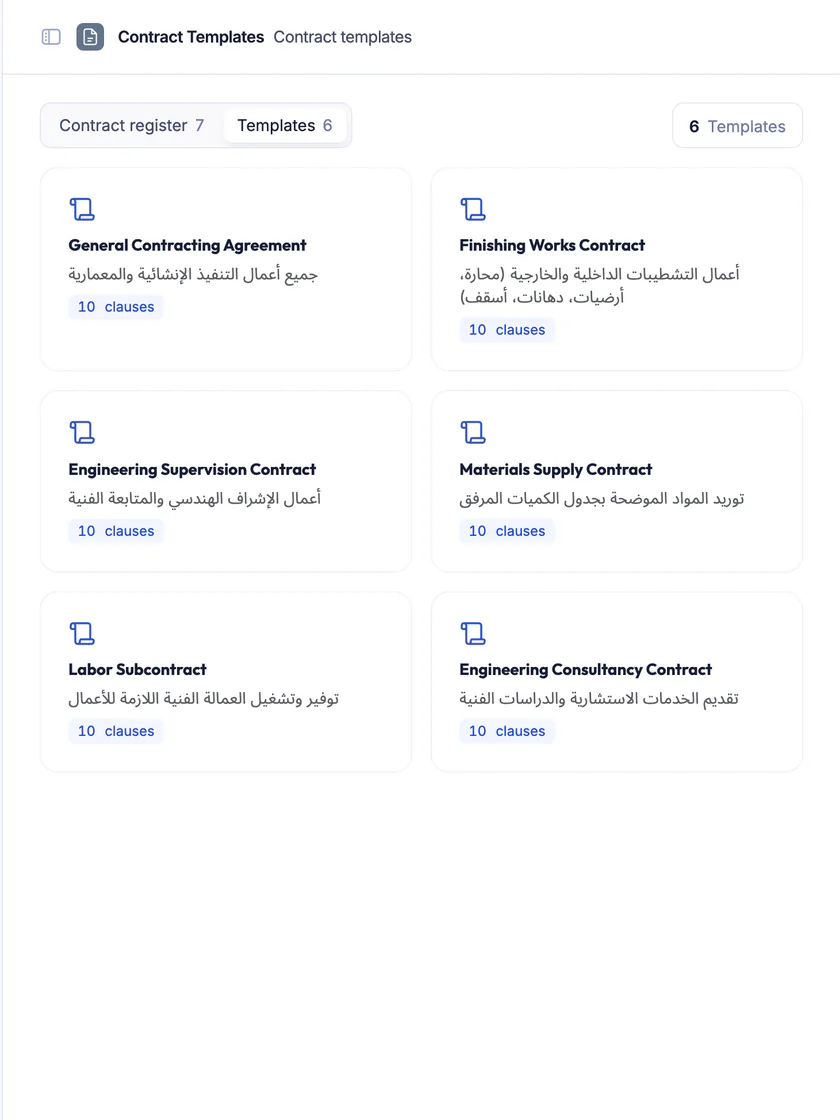
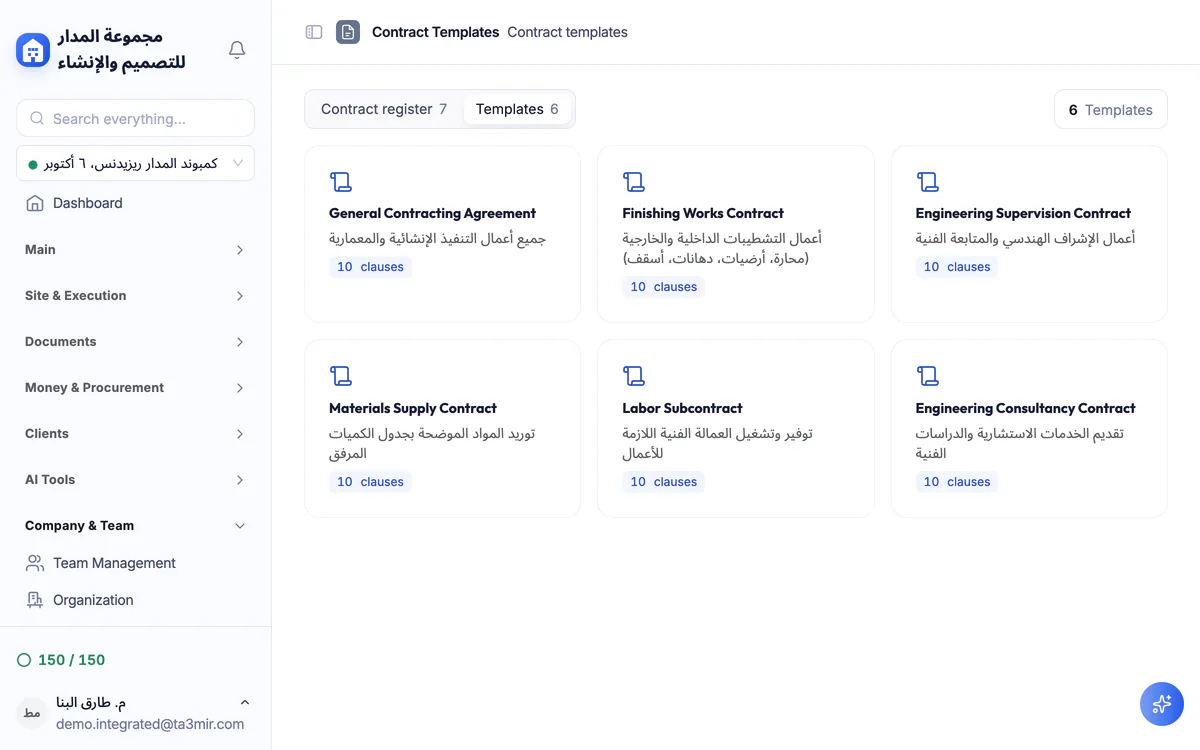
Ready contract templates
Start from prebuilt construction-contract templates and fill in your details instead of writing from scratch.
Opportunities with weighted value
Each opportunity carries a value and a probability, so the weighted value of your open pipeline shows, and a won opportunity moves on to a project.
Features in CRM & quotations
From the quotation to the client record, these are the key sales screens in Ta3mir:
Perks of CRM & quotations
An organized sales cycle in one place, and clients whose follow-ups never slip through the cracks.

Printable quotations
Print the quotation in a layout ready to send to the client.
Ready contract templates
Fill in both parties on a prebuilt contract template and preview it before generating.
One client record
Each client's contacts, projects, invoices and opportunities on one page.
Follow-ups never forgotten
Log every follow-up with its date for each client, so no promised call or site visit slips away.
Automatic quote numbering
Every quotation gets a sequential number automatically, keeping your records tidy with no duplicates.
Your quote becomes a project
An accepted quotation turns into a full Ta3mir project without re-entering the data.
 Payment certificates & contracts
 Technical office & documents
 Accounting
 Scheduling & planning
 Take-offs & BOQ
 HR, attendance & payroll
 Cost control
 Procurement, stores & equipment
 Site management & daily logs
 CRM & quotations
Ready to run your construction projects and payment certificates in one program?
Explore the demo account with real sample projects, then subscribe and activate in minutes.