
Ta3mir Connect
Take off quantities inside AutoCAD and Revit, straight into your BOQ
Plug-ins for AutoCAD, Revit, 3ds Max and Excel turn plans, models and sheets into priced items sent to the project BOQ, all from one Windows installer.
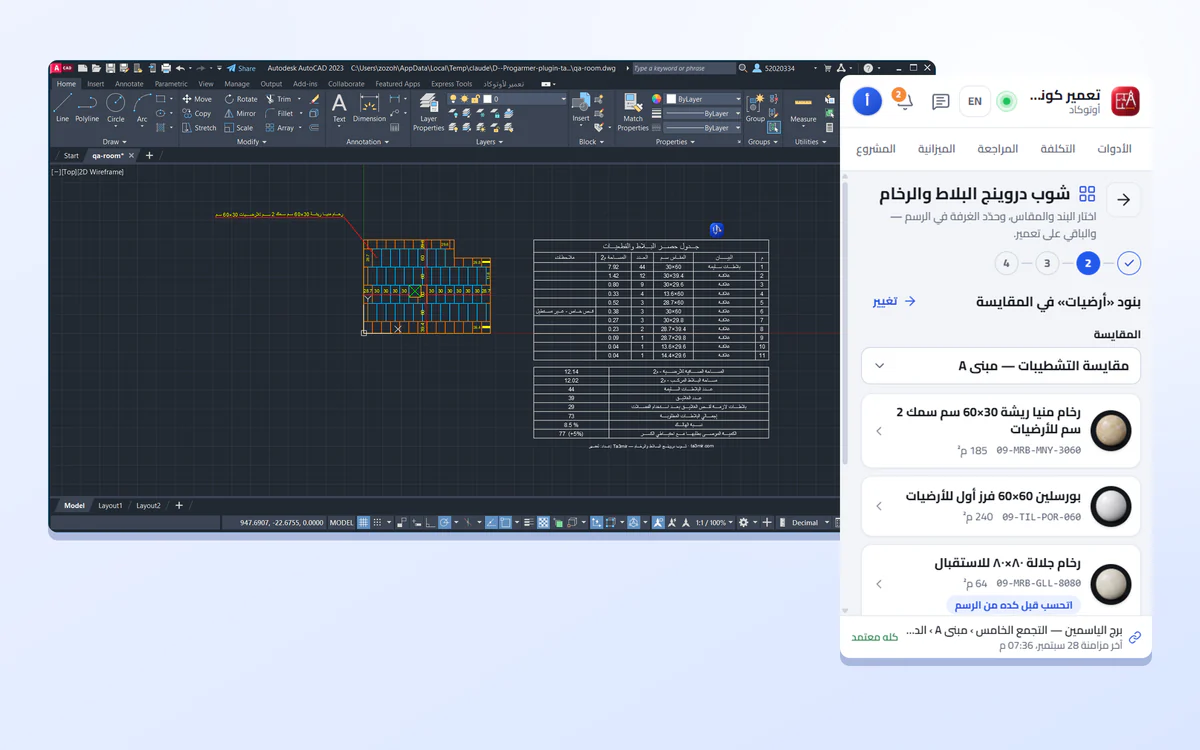
What is Ta3mir Connect?
Ta3mir Connect is a set of plug-ins that run inside the tools your office already uses: AutoCAD, Revit, 3ds Max and Excel. They take off quantities from the drawing or model, price them with your company settings, and send them to the project BOQ on Ta3mir after you review the differences. One installer sets them all up, on Windows only.
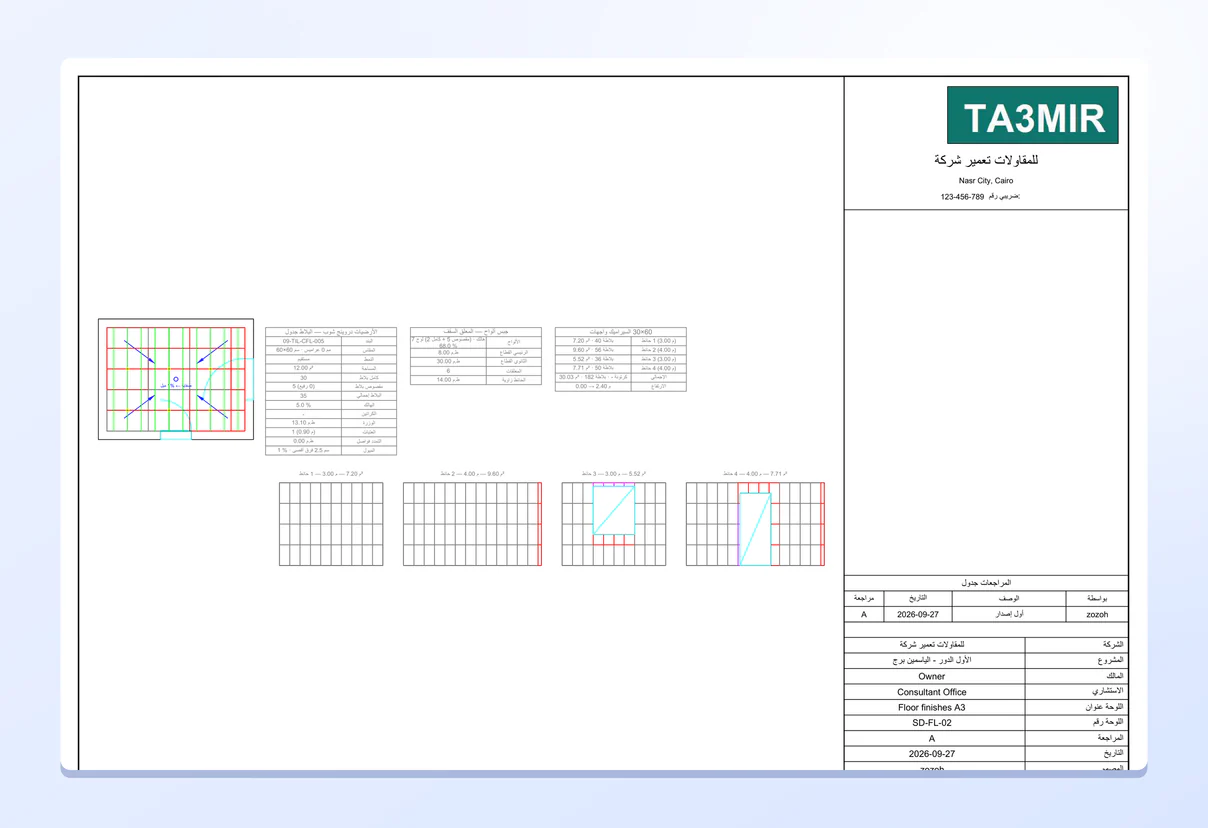
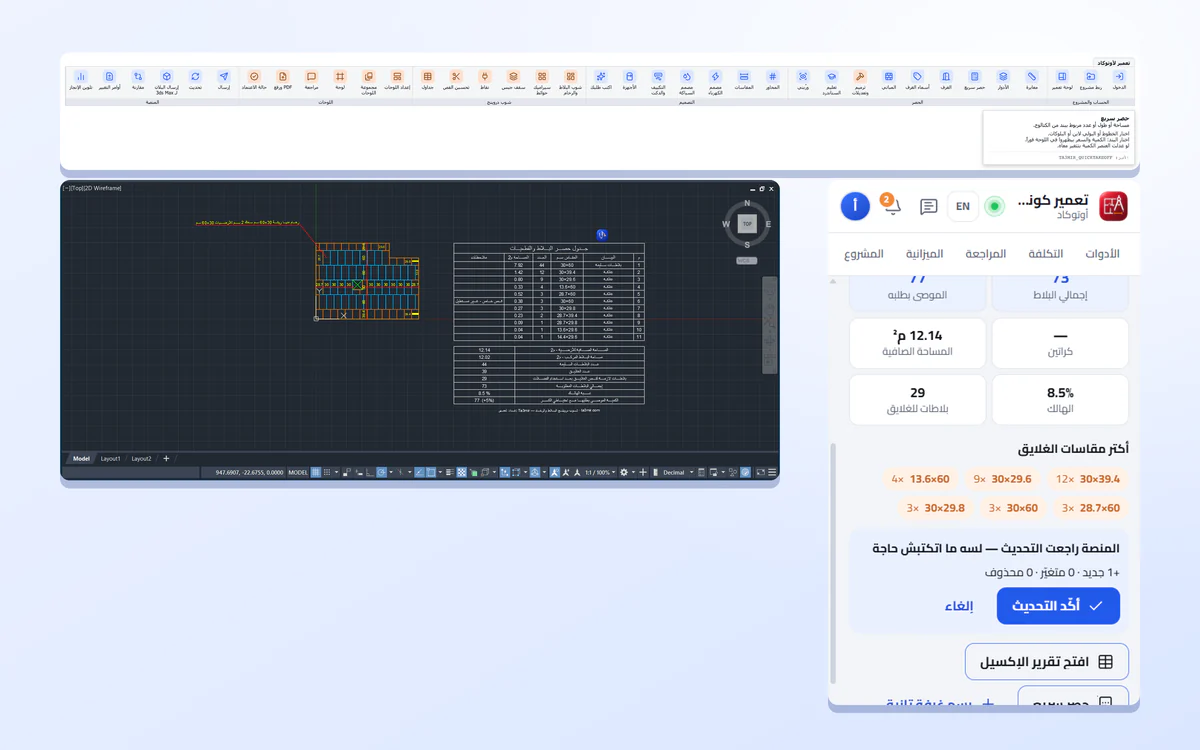
AutoCAD sheet with an Arabic quantities table
Plot the sheet from AutoCAD with its quantities table in Arabic and your company details.
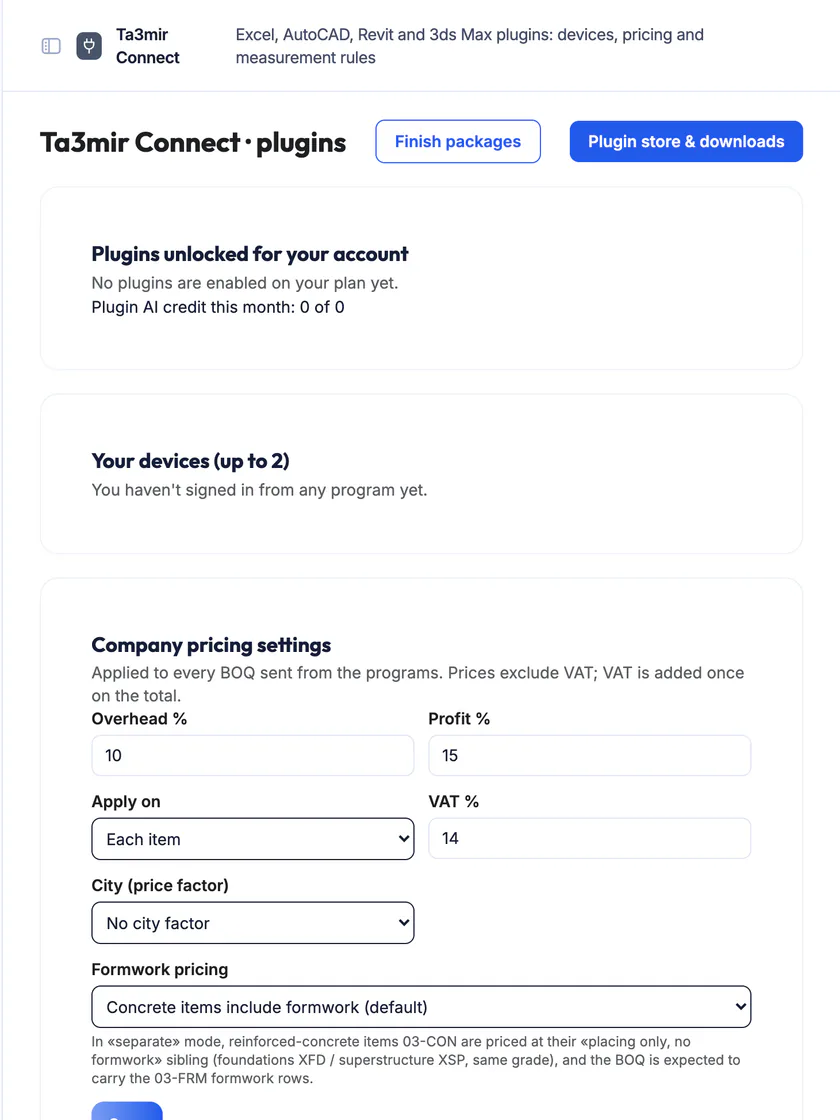
The Ta3mir Connect page
Your registered devices, company pricing settings (overheads, profit and tax) and take-off rules.
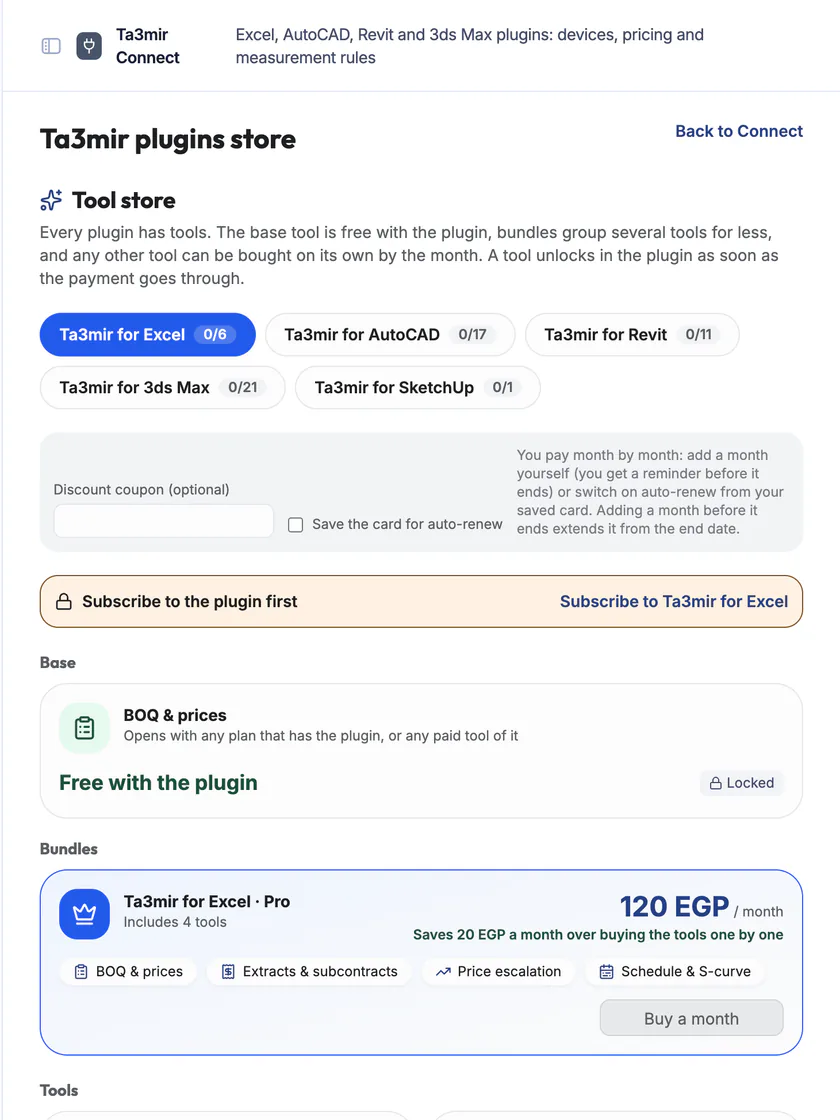
Plug-in store
Free tools and paid ones, on a monthly, quarterly or yearly subscription.
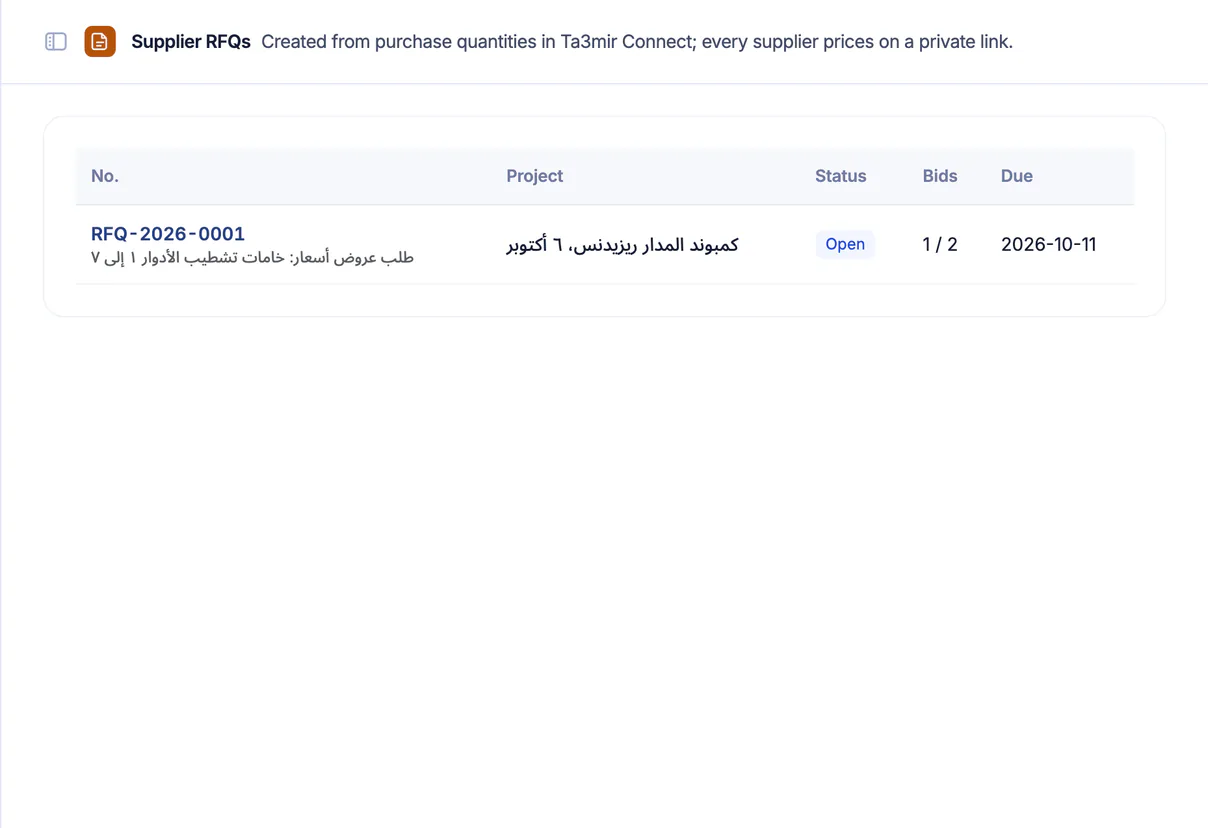
Supplier RFQs from purchase quantities
Turn purchase quantities into a request for quotation that each supplier prices on a private link, then compare the bids and award one to create the purchase request.
Features in Ta3mir Connect
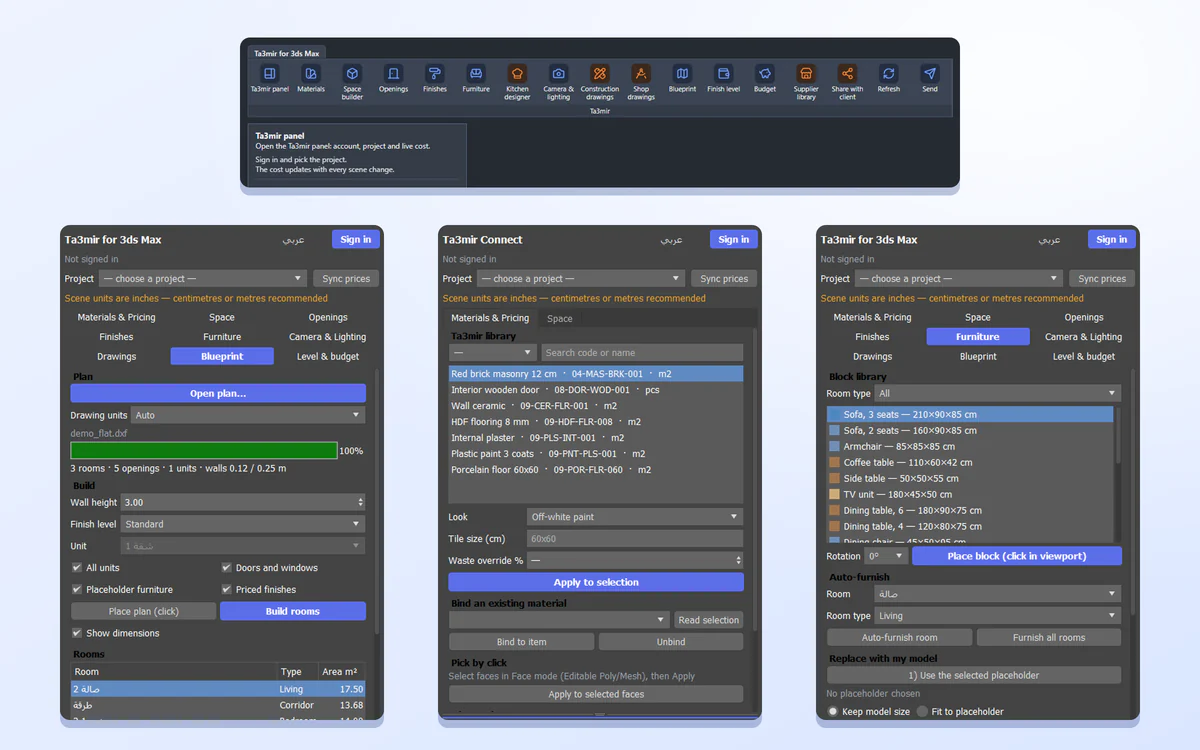
Ta3mir Connect links the drawing and modelling tools you work in to the project BOQ.
Here is what is inside:
Perks of Ta3mir Connect
Take off and price from the program you draw in, without retyping a single number.

Calibrate and take off in AutoCAD
Set the scale from a known dimension, then pick rooms and walls to get their quantities.
Code checker in Revit
A guidance check of the model against Egyptian code rules, exported to Excel and PDF.
HVAC load and alternatives
Calculate the cooling load and compare finish levels inside Revit.
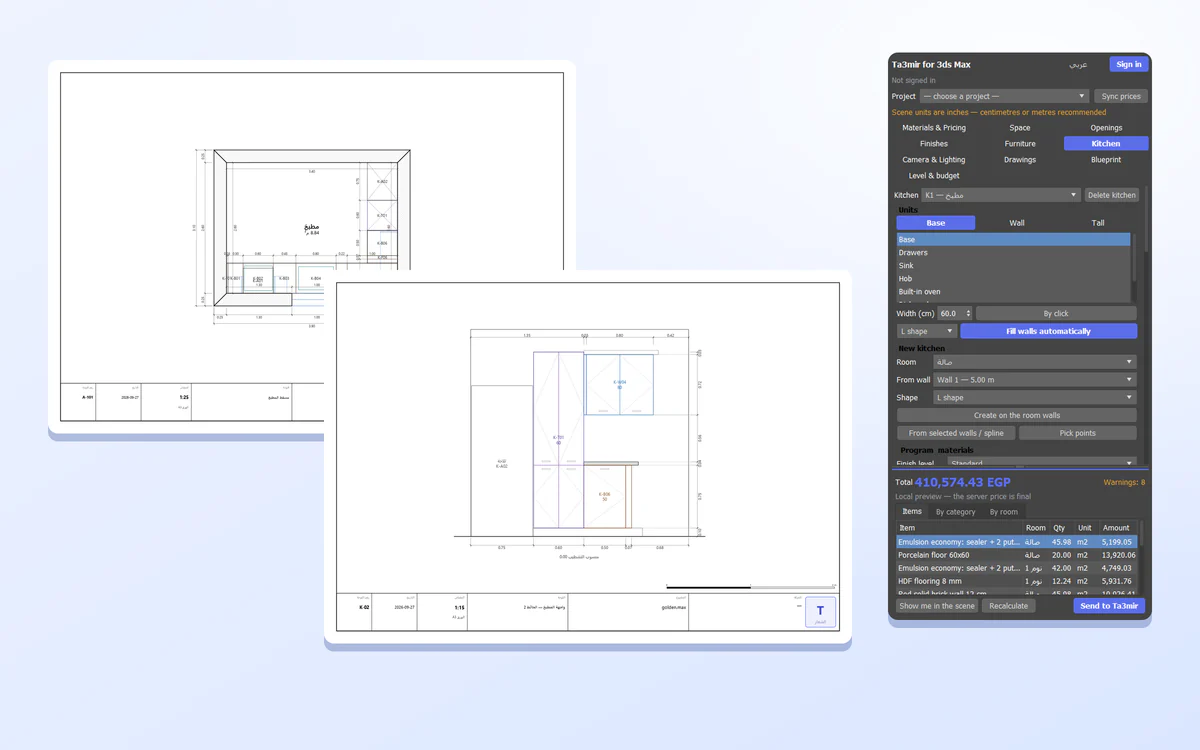
Kitchen designer in 3ds Max
Design the kitchen and get a cutting list, a fabrication cost and a BOQ.
Pricing functions in Excel
Use the TA3MIR.PRICE and TA3MIR.RATE functions inside your sheets.
Review before sending
The plug-in shows the differences before writing to the BOQ, and nothing is sent without your confirmation.
 Payment certificates & contracts
 Technical office & documents
 Accounting
 Scheduling & planning
 Take-offs & BOQ
 HR, attendance & payroll
 Cost control
 Procurement, stores & equipment
 Site management & daily logs
 CRM & quotations
Ready to run your construction projects and payment certificates in one program?
Explore the demo account with real sample projects, then subscribe and activate in minutes.