
Procurement & stores
Project procurement, stores and equipment in one cycle
From purchase request to store: supplier RFQs, purchase orders with receipt and three-way match, stock and movements per warehouse, and equipment maintenance.
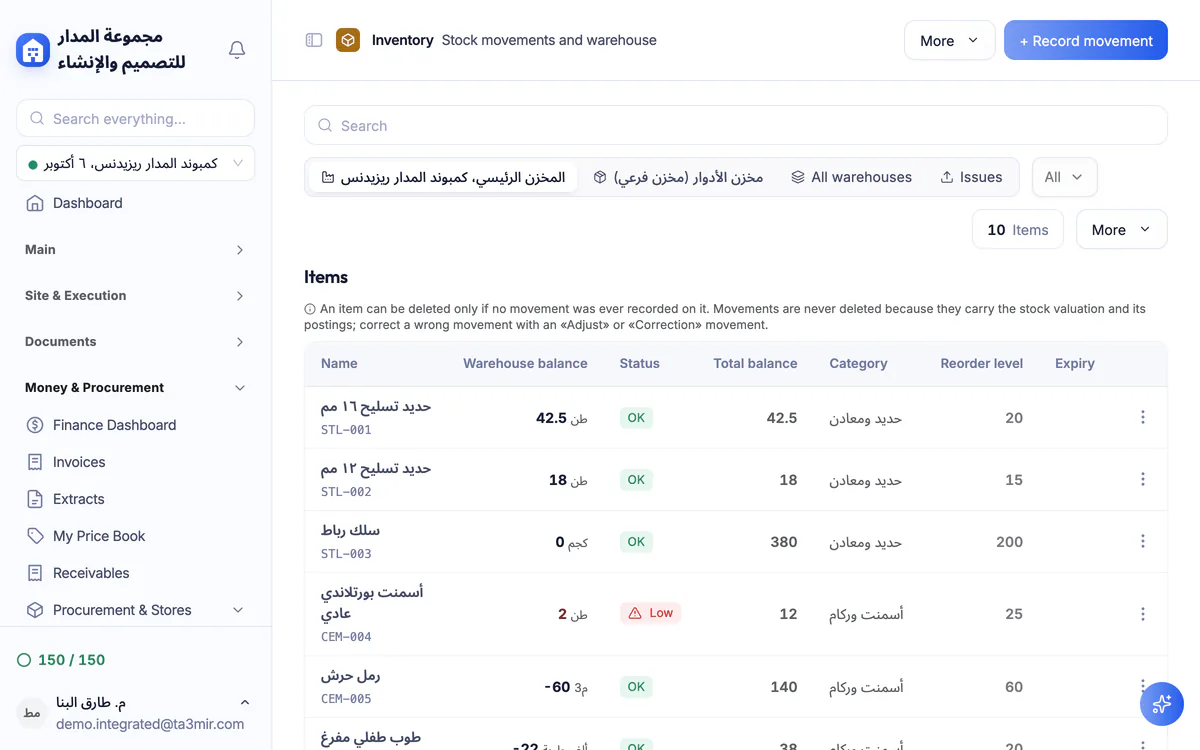
What is Procurement, stores & equipment in Ta3mir?
A purchase request goes through approval, then a supplier RFQ is issued and awarded, and a purchase order is received and matched to the invoice, so quantities enter a main or sub-warehouse through documented movements. Alongside sit the supplier and subcontractor registers, dayworks, and an asset register with operating hours and maintenance.
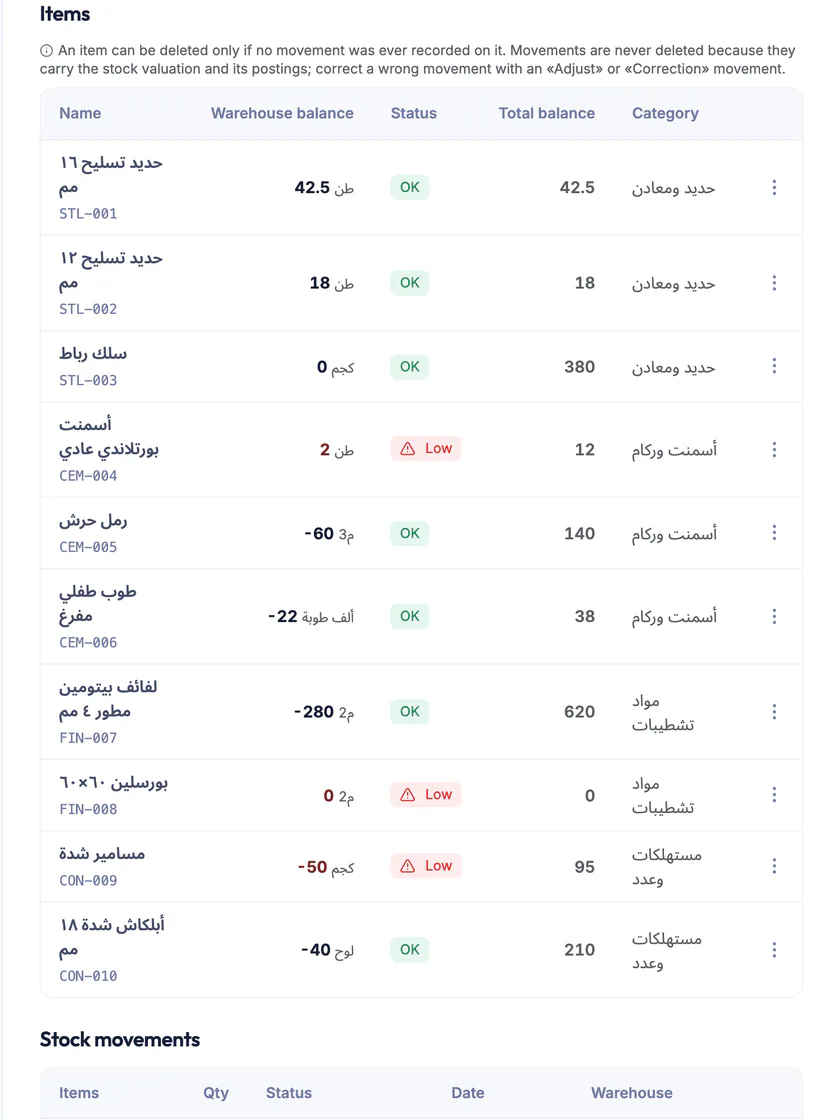
Stock balances
The balance of every item in every warehouse, with a reorder level that warns you as an item runs low.
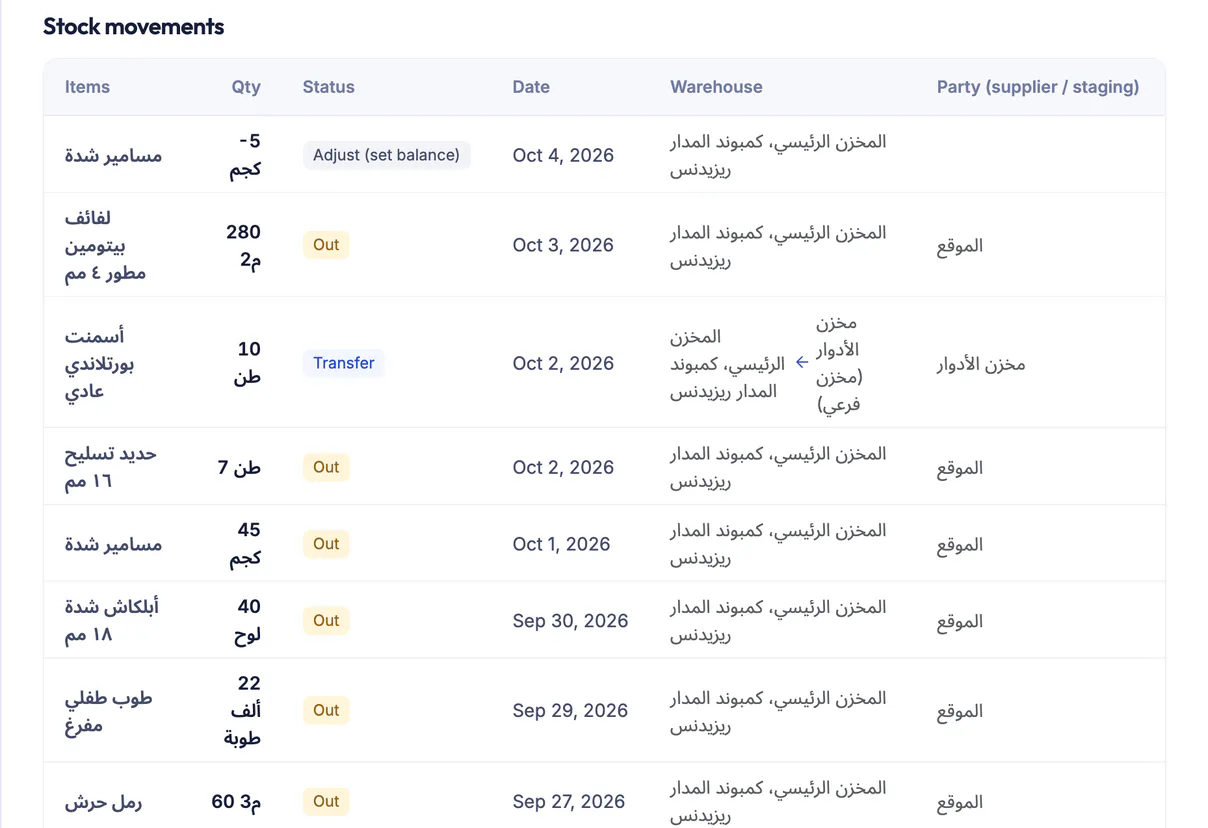
Receipts, issues and transfers
Every receipt, issue and transfer between warehouses is logged with its date, quantity and party, and no warehouse goes negative without an override permission.
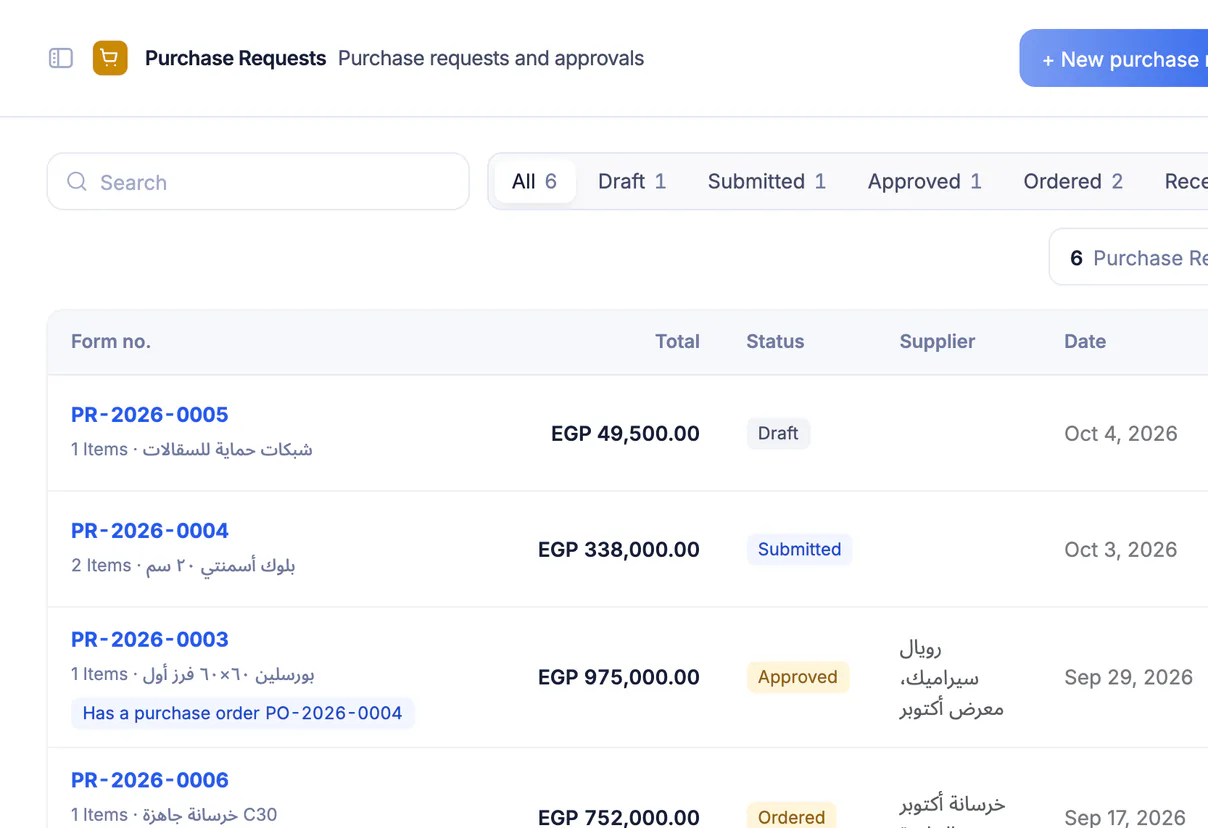
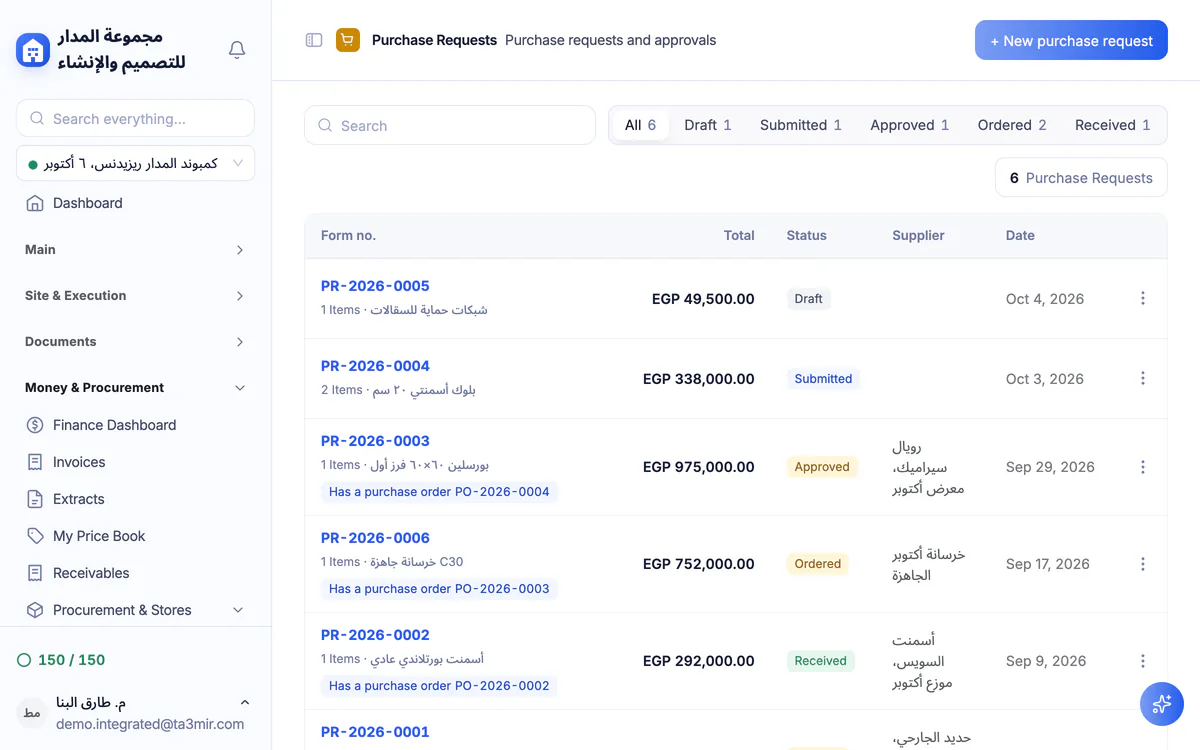
Purchase requests with approval
A purchase request passes an approval flow before it becomes an RFQ or a purchase order. No procurement outside your control.
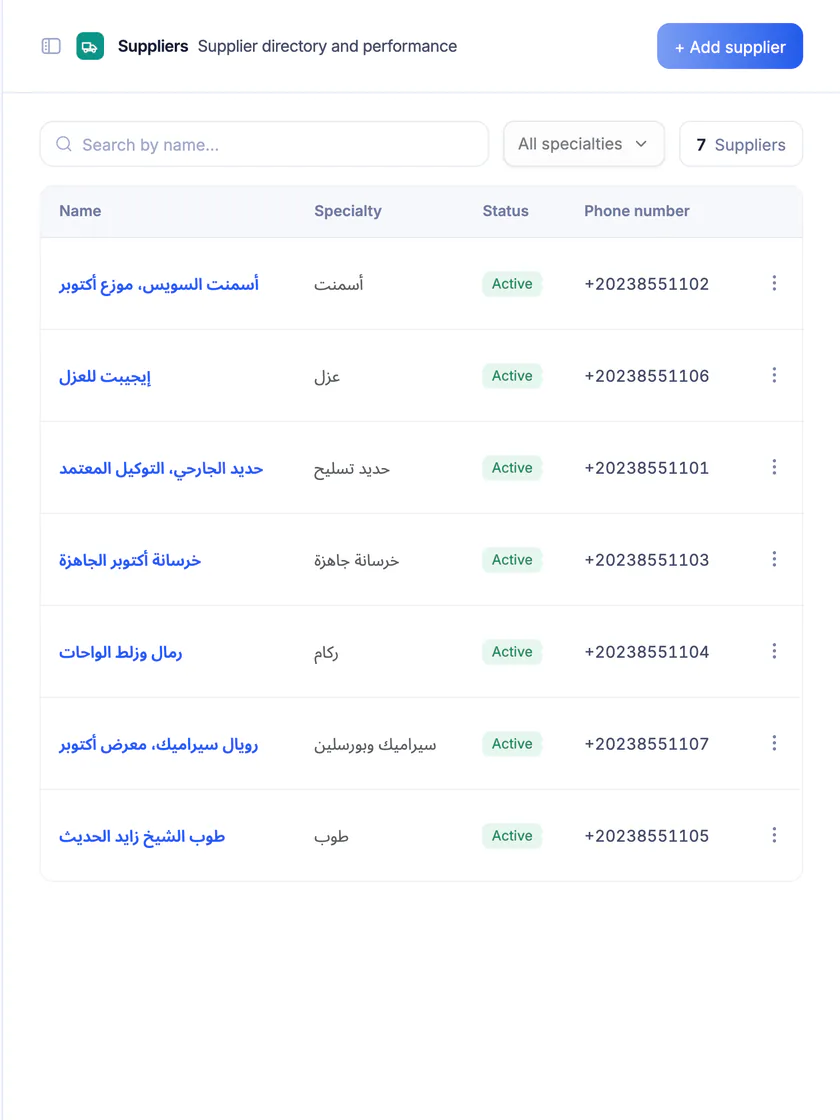
Supplier directory
Each supplier with its specialty and contact details, and a financial report of total orders, paid and outstanding.
Features in Procurement & stores
From the purchase request to equipment maintenance, the tool's main screens:
Perks of Procurement, stores & equipment
Know what you have in every warehouse and every machine before buying what you don't need.

Supplier RFQs and award
Collect bids from several suppliers on one request, then award it to the bid you choose.
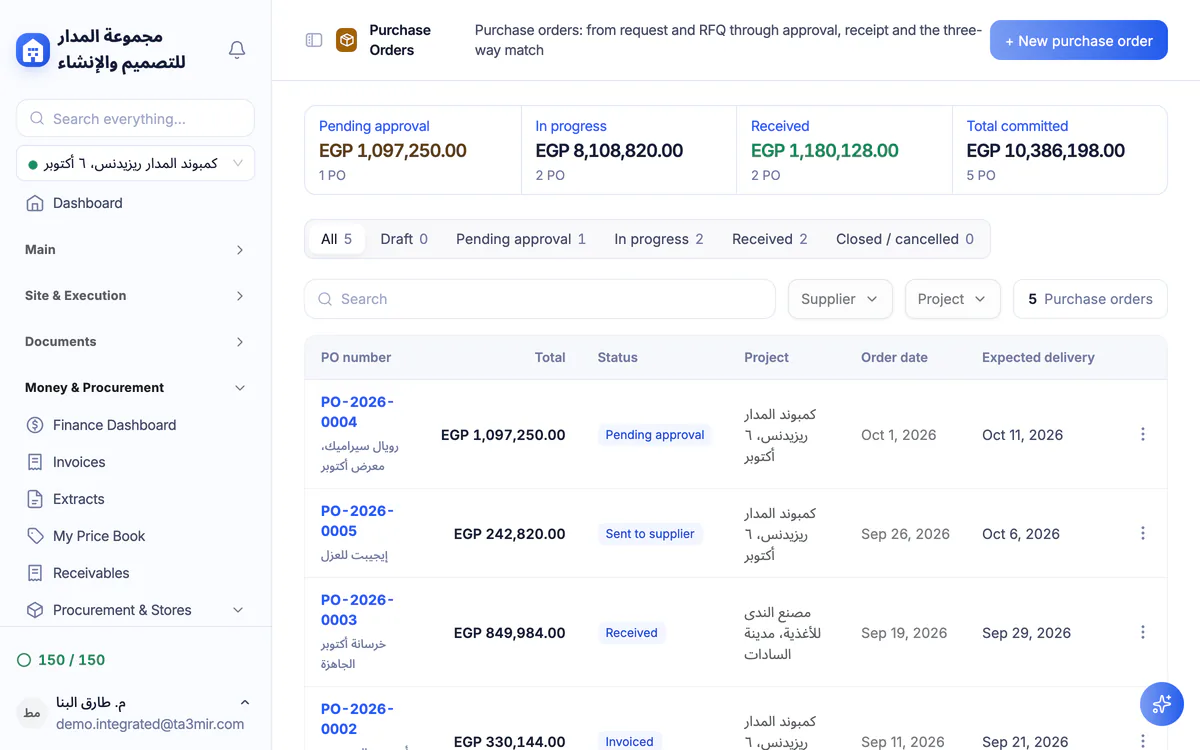
Three-way match
The purchase order is matched to the goods receipt and the invoice, line by line.
Main and sub-warehouses
A main warehouse and sub-warehouses with transfers between them, and a view of every item across all of them.
Subcontractors and dayworks
A subcontractor register with account statements, and daywork orders for every project.
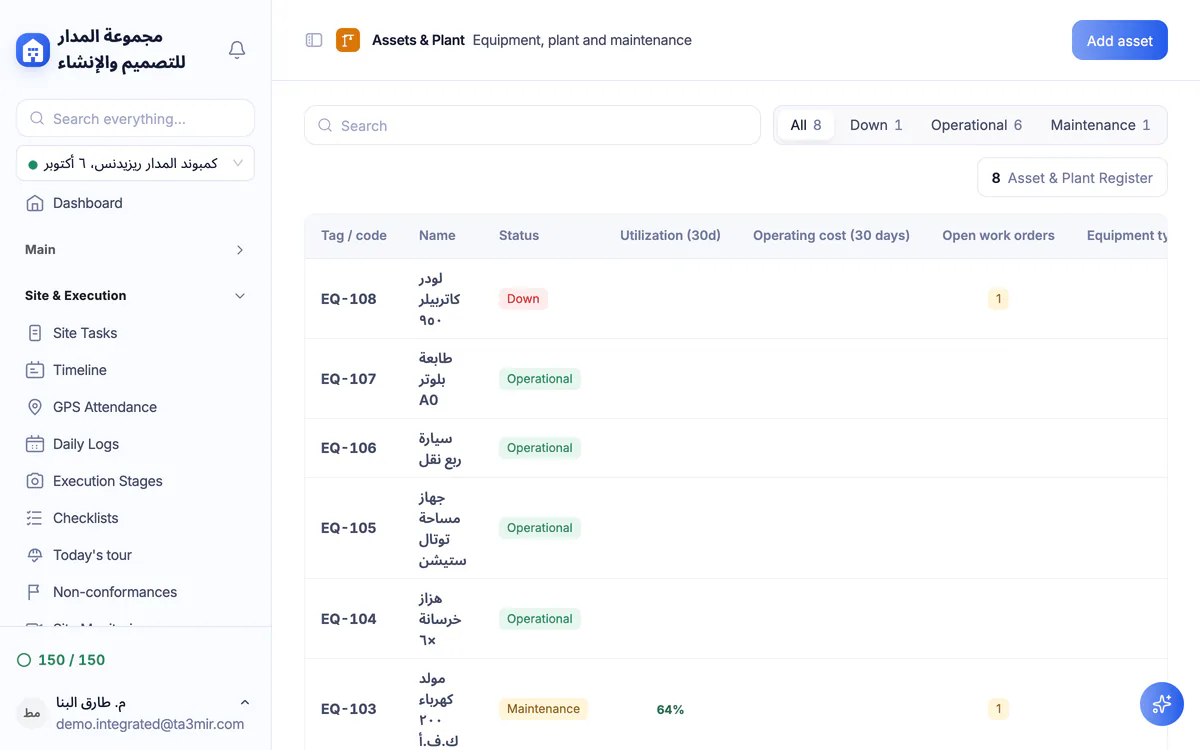
Equipment operating hours
Log working, idle and down hours and fuel for each machine, and follow its utilisation.
Preventive and reactive maintenance
Maintenance work orders with a priority and due date for every asset, owned or rented.
 Payment certificates & contracts
 Technical office & documents
 Accounting
 Scheduling & planning
 Take-offs & BOQ
 HR, attendance & payroll
 Cost control
 Procurement, stores & equipment
 Site management & daily logs
 CRM & quotations
Ready to run your construction projects and payment certificates in one program?
Explore the demo account with real sample projects, then subscribe and activate in minutes.